
Product Updates
Weekly updates to Fulcrum, always included with your subscription.
Thank you! Your submission has been received!
Oops! Something went wrong while submitting the form.

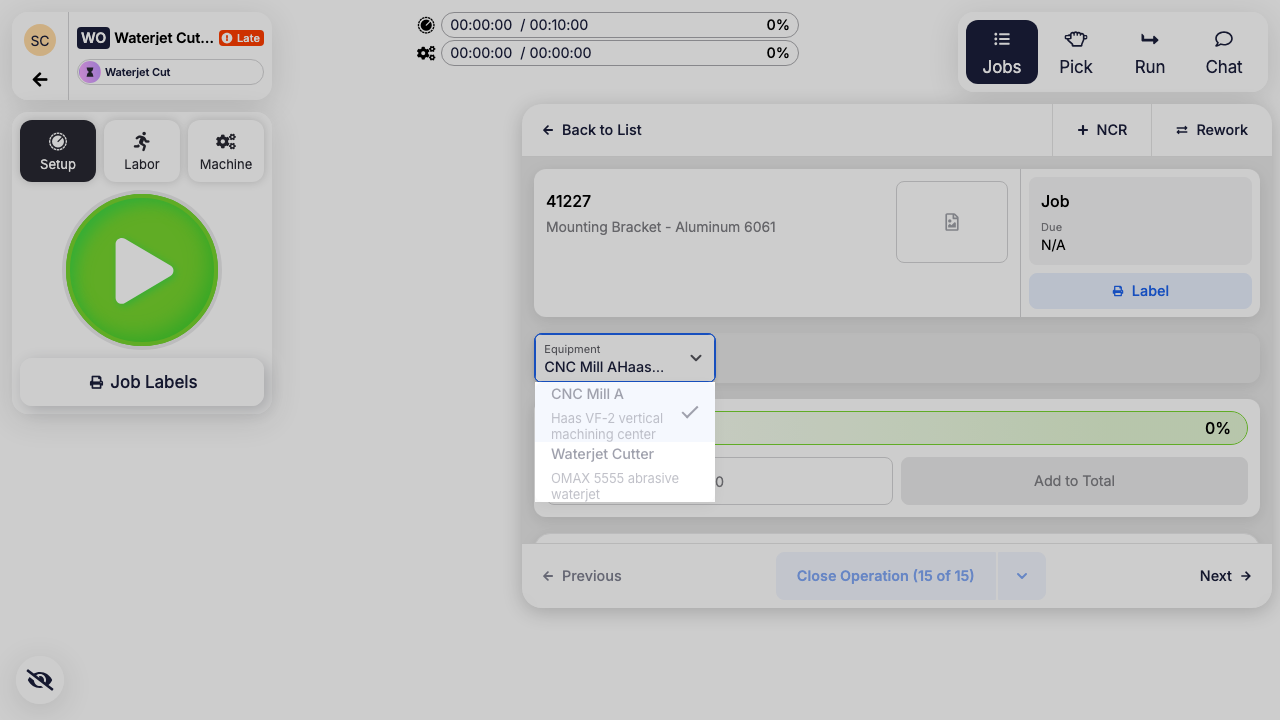
Operators can now change the equipment for a work order operation without leaving the Work Order Tracking screen. Open a job on the operation, pick the equipment from the new Equipment dropdown, and the change applies to every job on that work order operation at once, so all the jobs stay coordinated on the same machine instead of drifting apart.
 Share ->
Change orders can now hold file attachments, just like Sales Orders, Purchase Orders, and Quotes. To support that, new change orders are now created from a quick slide-out panel instead of a blank form, so every field on the change order, attachments included, always has a real record to belong to from the moment it's created.
Sales order lines can now be rolled forward with Delete & Rev, in addition to the existing Cancel & Rev — and the choice you make is remembered on the line going forward, so a rolled line reports which action it was rolled with. Cancel & Rev used to leave a placeholder line behind at zero quantity, which is the wrong outcome when a line is meant to simply be replaced; now you can pick the option that fits. Quote lines default to Delete & Rev only, since quote lines were already being removed on apply — the old dropdown just mislabeled it as a "Cancel." The Find Old Revs window also picked up the same record grid used elsewhere for finding related documents, and a broken link on that grid that used to lead to the wrong page has been fixed along the way.

Multi-factor authentication now takes an emailed one-time code as well as an authenticator app. Not everyone on the floor has an authenticator app, and setting one up is a real barrier for shared or occasional accounts — so enrollment now offers the choice, email-enrolled users get a matching sign-in challenge, and admins control who is allowed to use it. It's off by default; an admin turns it on for the shop.
A browser tab loads Fulcrum once and then runs that version until somebody reloads it. We've seen shop-floor screens still running a version of Fulcrum more than two months old, which means a shop can sit on behavior we've already changed for weeks after a release.
Every Fulcrum screen now notices when a newer version is out and refreshes itself at a safe moment. Unattended screens — job tracking tablets, time clocks, wall monitors — reload quietly, but only when it's provably safe: nothing open mid-workflow, nothing typed and unsaved, no half-entered quantity. If you're actively working, you get a small banner, and a countdown only in the last few minutes before the deadline.

Reordering bubbles no longer means typing a new number into each bubble's dropdown one at a time. Grab a bubble in the annotations panel and drag it where it belongs. Sibling bubbles move together — an anchor bubble and its indented sub-bubbles travel as one unit when you drag the handle in the bubble header.
Say you roll a job from Rev B to Rev C. The Rev B drawing on the job is now out of spec and has to go, but you couldn't delete it because it had annotations and bubbles attached to it.
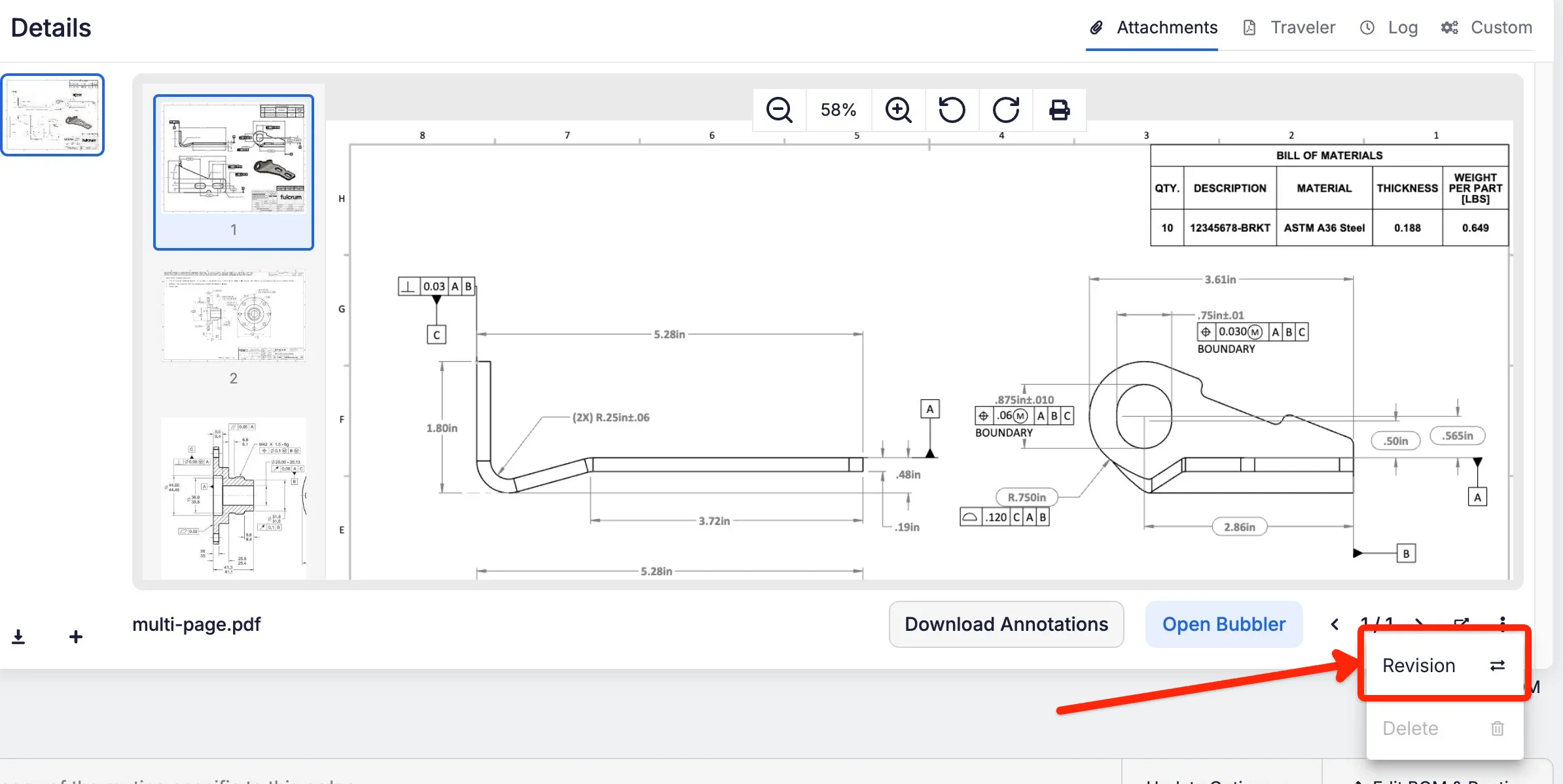
There's now a Revision button on the attachment menu. Upload the replacement PDF and Fulcrum copies the annotations, operator responses, and in-process tracking to the new drawing, retires the old one, and makes the new one primary. It's available on jobs and on items.
 Share ->
Your drawing can be in inches while your floor records in millimeters, or the other way around. Fulcrum now keeps the two in step everywhere, instead of leaving operators to convert in their heads.
Until now, in-process checkpoints were inspected on a fixed frequency: every Nth part, with no other option. You can now pick a sampling plan per checkpoint:
Set the plan on the checkpoint in the drawing annotator, and Fulcrum works out how many parts need inspecting once the job is approved. In Job Tracking, those checkpoints collect as a Random Sample count (First Article plus Sample 1 through N) instead of a column per part, and the operation can't be completed until every slot is filled. Results roll up to the job's Quality tab, the in-process tracking download, and the FAIR (First Article Inspection Report).
One limitation: sampling plans only work on checkpoints created in the drawing annotator, not ones added the older way.

Shipment quantities used to be pinned to whatever was originally planned. So once you packed, split shipments, moved quantities around, and made a few edits, the numbers drifted out of step with reality and told you to ship more or less than you actually owed.
Shipment quantities now calculate around the ordered quantity. Split a shipment and over-pack the first one, and the second shipment adjusts that line down on its own, so the total still adds up to what the customer ordered.
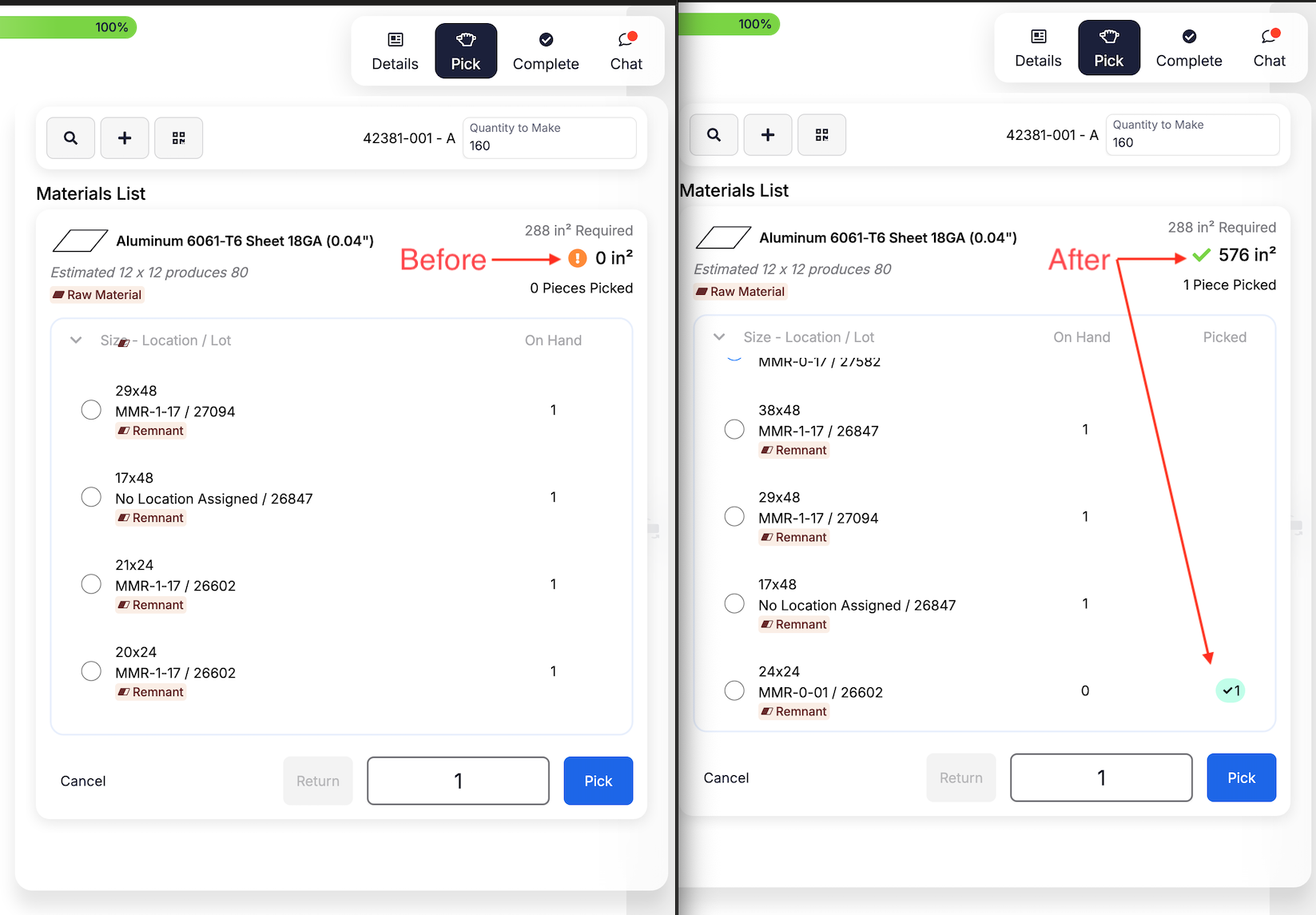
Two related headaches, both fixed. Jobs with material already pulled could look like nothing had been pulled at all after about a month — once a lot was fully used up, nightly cleanup took it out of view and Job Tracking started showing the material as unpicked. And even when it was visible, there was no way to see which lot a pick came from on the job page, which is a real problem for shops that owe material-to-job traceability on an audit.
Two things to know: picks made through nesting work orders show quantities but not per-lot detail, because those picks aren't tied to a single job. And remnant receipts are left out, so you won't see a phantom "return" appear.
 Share ->
A quote line's cost breakdown is captured when it's calculated — it doesn't quietly refresh when a material's vendor price changes later. Two comparable lines costed on either side of a price increase could show different totals with nothing on screen to explain why.
Quote lines now show an advisory "prices may be out of date" badge next to the existing Recalculate action whenever a material the line prices from changed after the line was last costed. It only tells you the pricing is worth a second look — it never quietly changes a quote you may have already sent.
Quotes often sit in draft for days before anyone actually sends them. The Quoted Date was frozen at creation, so it told you when you started the quote rather than when the customer got it — and the expiration window quietly shrank by however long the draft sat.
Marking a quote Sent now stamps the Quoted Date with the moment you sent it and recalculates Expiration from there, using your quote expiration window (30 days unless you've changed it). Both fields update on the form right away, stay editable if you need to override them, and the quote's history notes that they were set automatically.
The Change Order Excel template now lets you update these across many open sales orders at once, instead of opening each order individually:
Line Delivery Date and Job Due Date were already editable, so the template now covers most of what a customer actually changes mid-order.
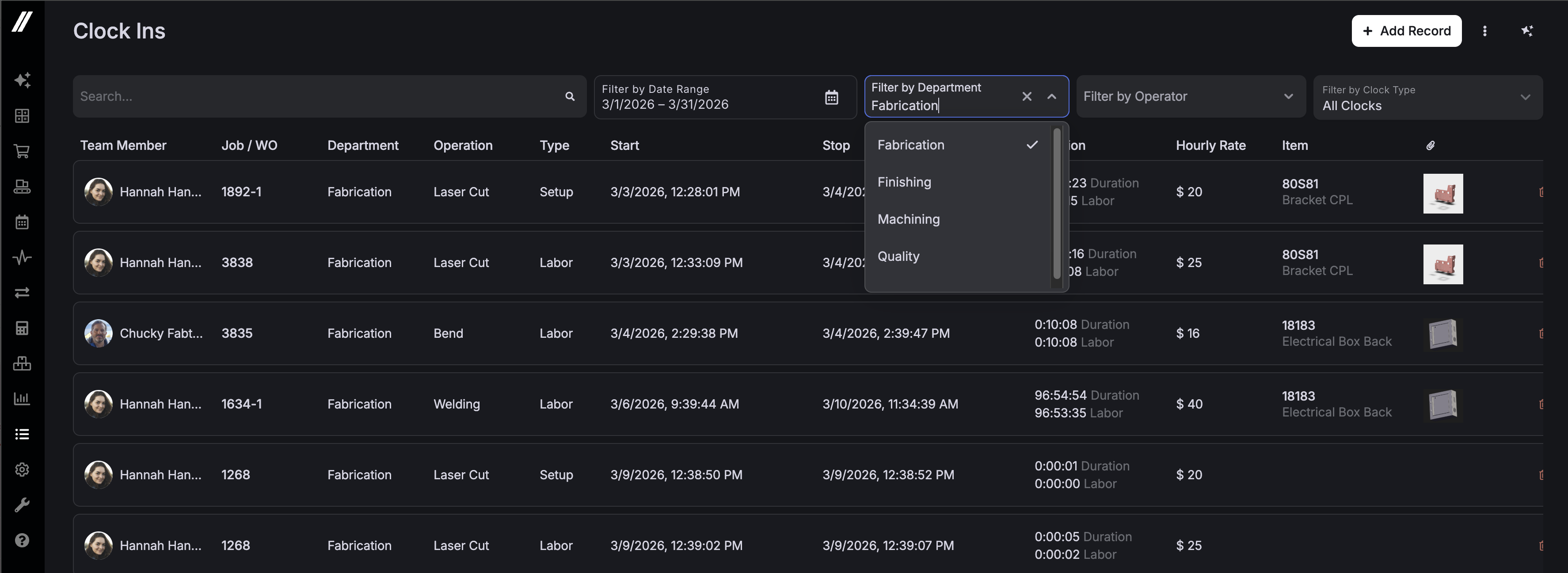
Time Management now has a Department filter—handy for organizations with multiple supervisors or managers who want to focus on their own department's clock-ins.
 Share ->


