
Product Updates
Weekly updates to Fulcrum, always included with your subscription.
Thank you! Your submission has been received!
Oops! Something went wrong while submitting the form.

Certifications could previously only be assigned to lots when the item was a material, or when the outside process was the final step on the part. Now, when the outside process isn't the final operation, you can attach the cert to the job instead, so it follows any lot numbers created from that job later.

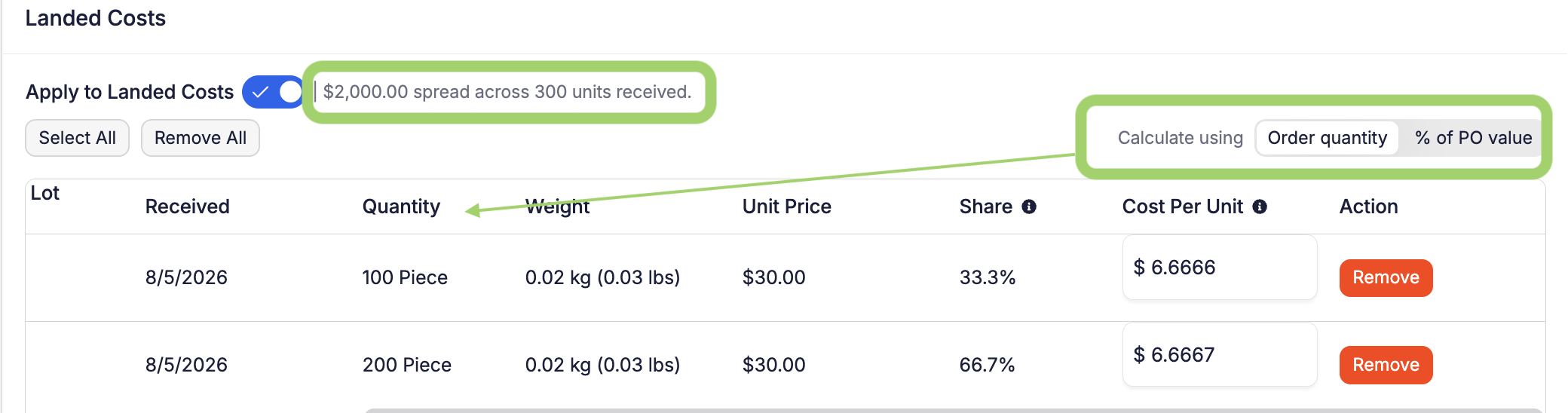
Landed cost auto-calculation used to spread fees evenly across every unit received. That works fine when items on a PO are similarly priced, but it can badly skew costs on mixed shipments — a $16,000 freight and duty bill spread across 16,500 items adds about $0.97 to every unit, whether that unit cost $2 or $200. Lower-cost parts end up over-costed while higher-cost parts get under-costed, throwing off inventory value and margin.
You can now choose how a landed-cost fee gets allocated. On a purchase order's landed-cost panel, "Calculate using" offers two options:
A few guardrails:
 Share ->
On the receiving page, long item names were getting cut off on smaller screens like tablets. Names now wrap instead, so the full name is always readable.

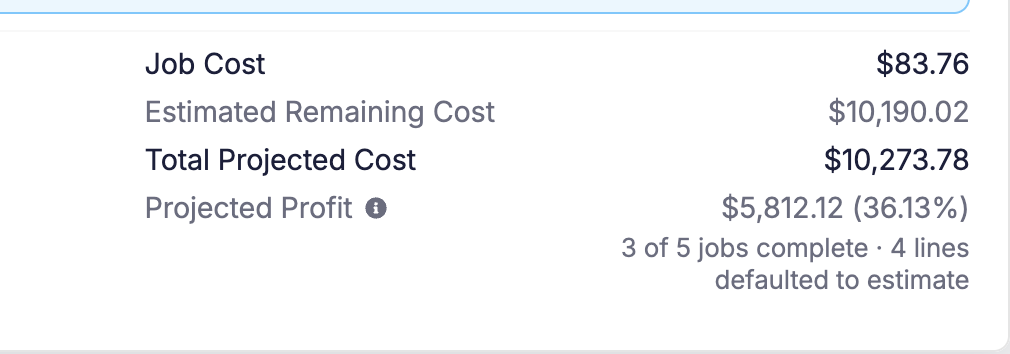
Today the Profit figure on a Sales Order is an estimate — it uses the cost each line was quoted at, back when the order was written. Underneath it, the Associated Jobs panel shows what each job really cost, but nothing adds those up. So the page tells you what you expected to make on the whole order, and never what you actually made on it.
The Associated Jobs panel now totals your real job costs and shows actual profit and margin, sitting right under the estimate so you can compare the two at a glance.
Rolling out over the next few weeks — if you don't see it on your Sales Orders yet, it's coming.
 Share ->
Archie can now set a due date when adding a sales order line, and change the due date, description, or internal notes on an existing line — the same thing you could already do everywhere else in Fulcrum.

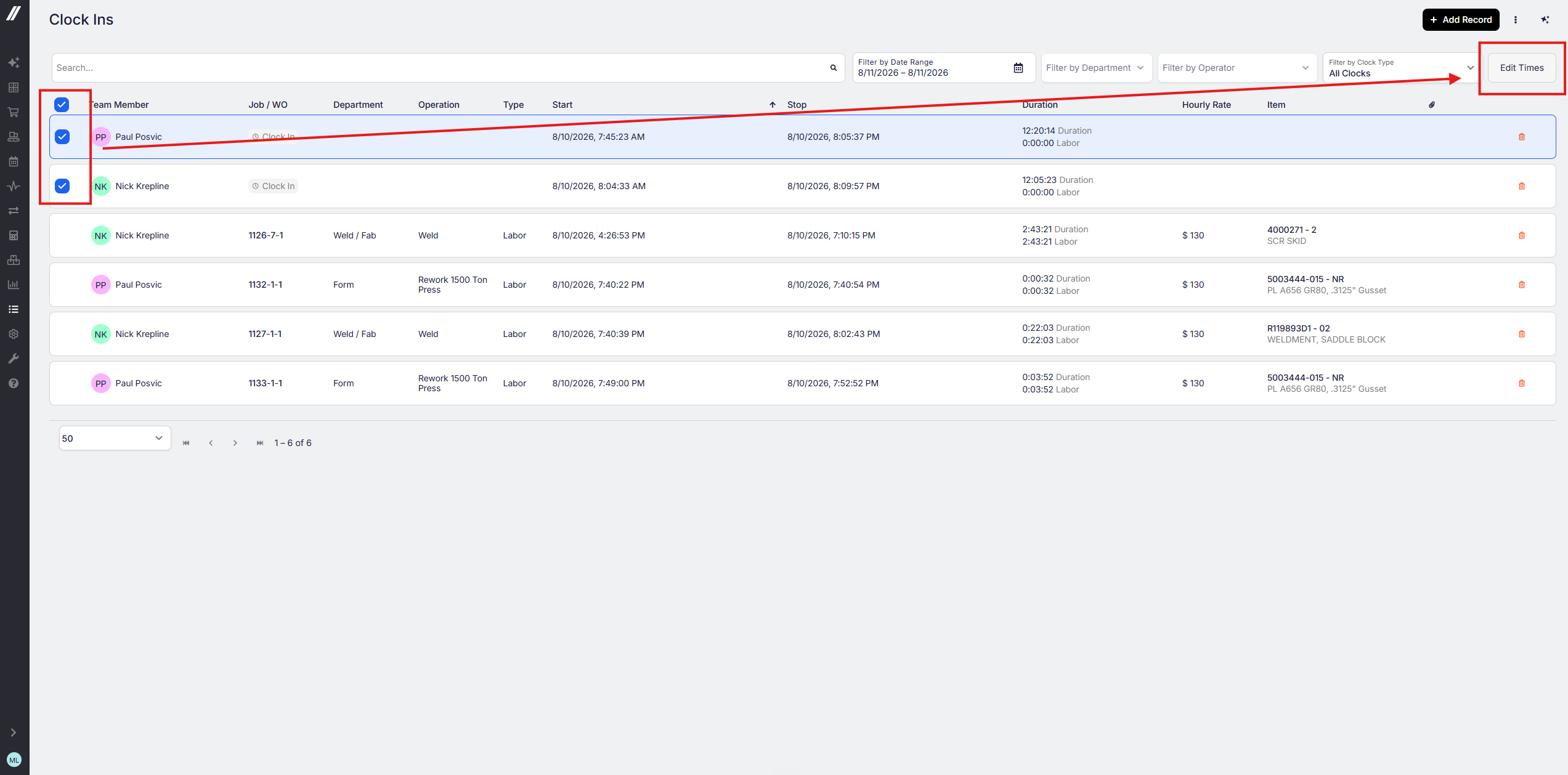
Supervisors and managers can now select and edit multiple daily clock-ins at once on the Time Management grid, instead of editing them one at a time. This is rolling out gradually.
 Share ->
The Public API already returned an item's quality plan status (Needs Approval / Approved), but not whether the item requires a quality plan at all. Integrations can now read that flag directly, so they can tell "approved" apart from "doesn't need one" without guessing.
Reworks and their NCRs (Non-Conformance Reports) used to be two disconnected records, even though the large majority of reworks end up with one. A new "Create NCR" checkbox on the Rework window (shown based on your permissions) now creates an NCR pre-filled from the rework — affected quantity, disposition, reason/notes, tied to the same job, operation, and part — and links the two records together. Works on both work-order jobs and plain (non-work-order) jobs.
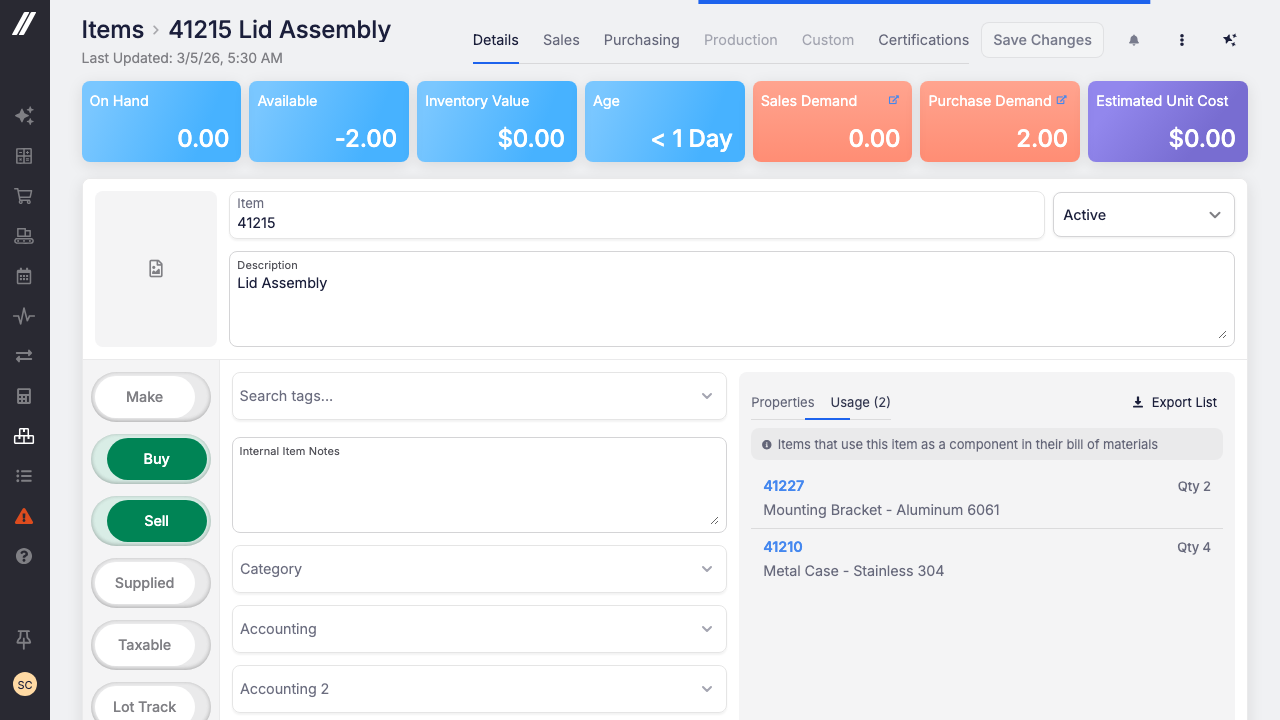
The Usage tab already lists every parent that uses an item as a component. It now shows how many of that item each parent's bill of materials calls for, so verifying a bulk edit is a quick scan down one column instead of opening each BOM one by one.
 Share ->
The Shipment List can now resolve and jump to a shipment directly from its shipment number, instead of hunting for it in the grid.
A new Shipping setting for shops that don't overship. Once a sales-order line has shipped its full ordered quantity, Fulcrum no longer leaves an extra open shipment line hanging around, so you can't accidentally ship or invoice more than was ordered. Turn it on under Settings → Shipping → Overshipping. Flipping it on also clears any of those extra lines already sitting on your open orders. It's off by default — nothing changes if you overship on purpose.
On the job tracking Run tab, operators had to flip the "Show Tools" toggle every time they opened an operation to see which measurement tool recorded each response. Tool info now shows by default, so it's visible immediately.
A new Type filter on the job tracking operations list, alongside the existing Department / Operations / Equipment dropdowns. Jobs and work orders used to be interleaved in one list with no way to narrow the board down to just work-order operations, or just rework — this adds that.
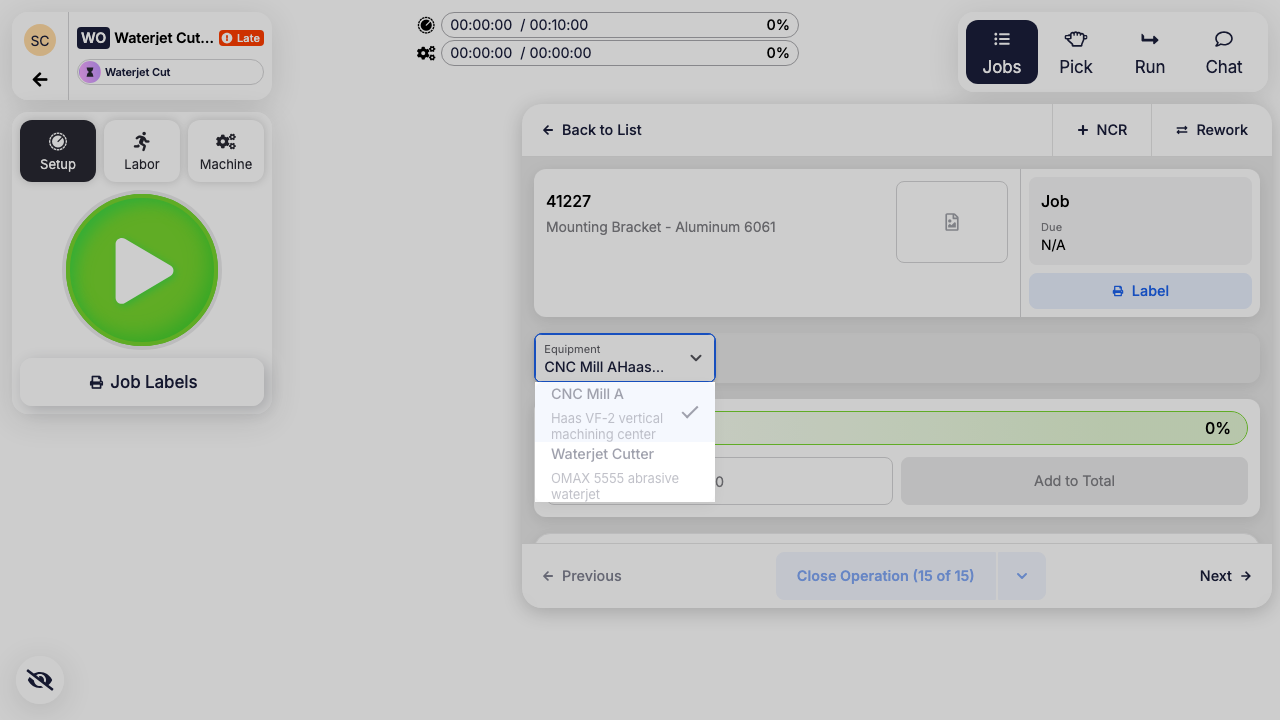
Operators can now change the equipment for a work order operation without leaving the Work Order Tracking screen. Open a job on the operation, pick the equipment from the new Equipment dropdown, and the change applies to every job on that work order operation at once, so all the jobs stay coordinated on the same machine instead of drifting apart.
 Share ->
Change orders can now hold file attachments, just like Sales Orders, Purchase Orders, and Quotes. To support that, new change orders are now created from a quick slide-out panel instead of a blank form, so every field on the change order, attachments included, always has a real record to belong to from the moment it's created.


