
Product Updates
Weekly updates to Fulcrum, always included with your subscription.
Thank you! Your submission has been received!
Oops! Something went wrong while submitting the form.

Tool Calibration lets you build calibration templates and run in-house calibrations on your tools against defined checkpoints (like IPTs). Three workflows are supported—customer-supplied, vendor-performed, and in-house.
A usage grid shows every job each tool was used on, so if a tool turns out to be bad you can trace exactly where it went and issue a recall or remeasure. An alert bell on the Tool Calibration grid sends you a digest of tools coming due, with 7-day and 30-day windows. And you can raise an NCR straight from the Tool Calibration page when issues arise.
Archie support for these changes is coming shortly.

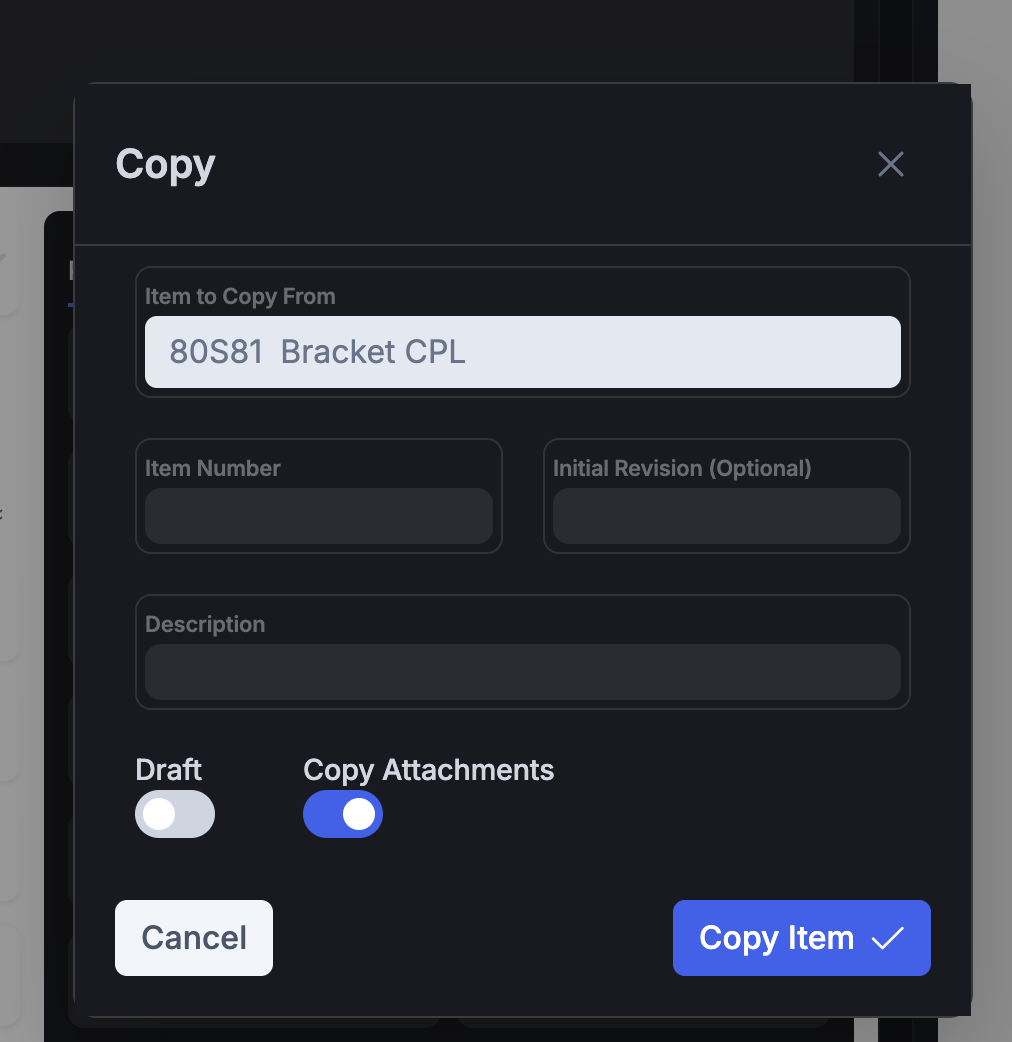
The Item Copy flow now includes an option to bring the item's attachments along with it—so specifications, drawings, and other files move with the item when you duplicate it.
 Share ->
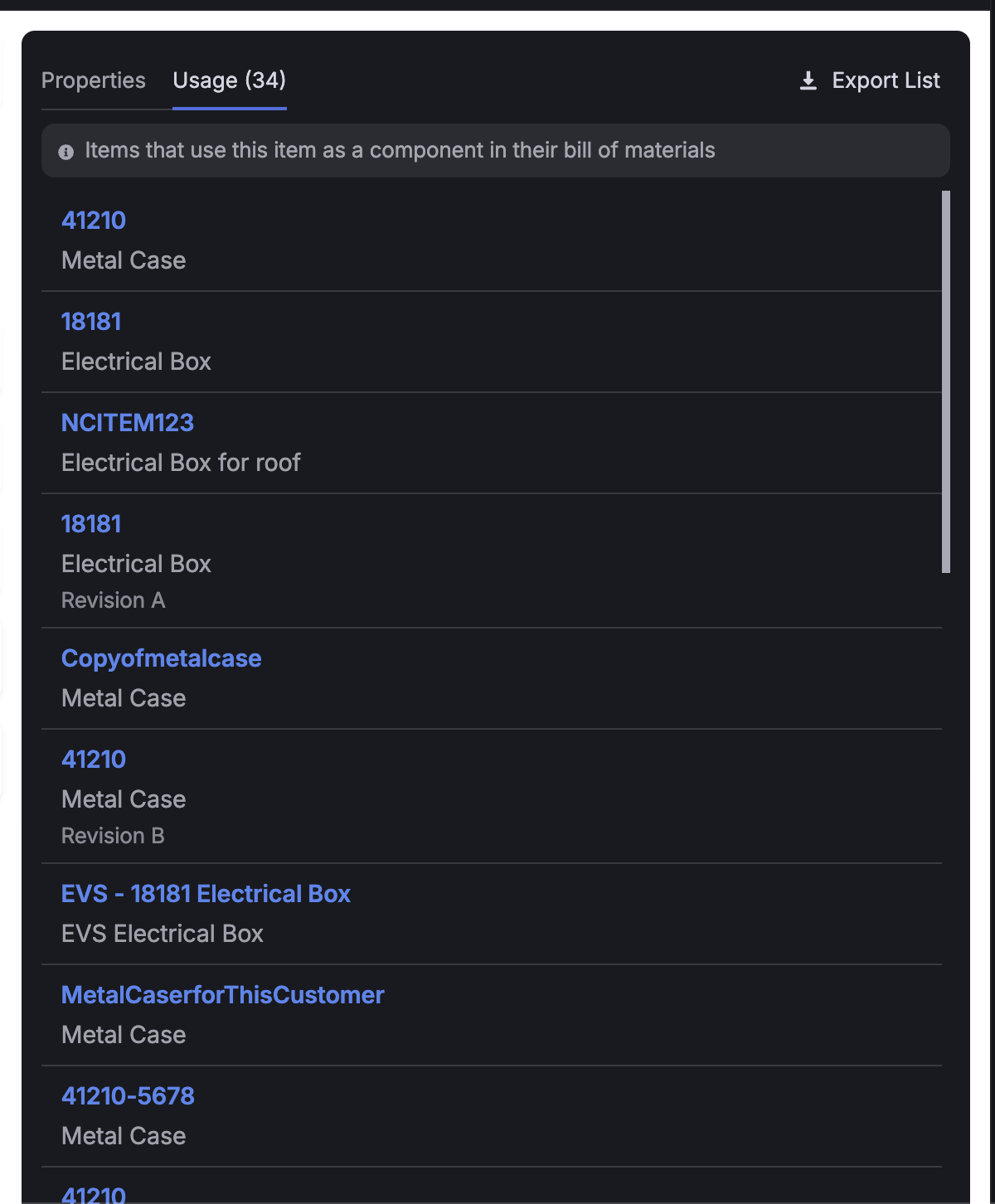
The Item Usage tab had a few friction points that came up in user-conference conversations. It lacked revision and archived-status context, capped out around 10 items with paging, and wasn't quite right for how people actually use it—scanning where an item appears and building a list for swaps.
We've smoothed it out. The tab now scrolls for easier browsing, shows more context including revision and status info, and exports so you can work with your lists outside Fulcrum.
 Share ->
When you finish a job across multiple batches, per-unit costs can drift between them: the first batch arrives at one cost, the next at another, and the same part lands in inventory at two different values even though it all came from the same job. A new Job Settings option, Average Cost Across Batched Receipts, solves this by evening out the cost across every batch of that item so each unit carries the same average, even correcting earlier batches that have already been picked.
The setting lives under Roll Forward Job Cost Changes and only works when that option is turned on. It's all-or-nothing: if any of the item's receipts fall outside your Inventory Adjustment Cutoff, Fulcrum leaves the entire set alone. It's off by default.
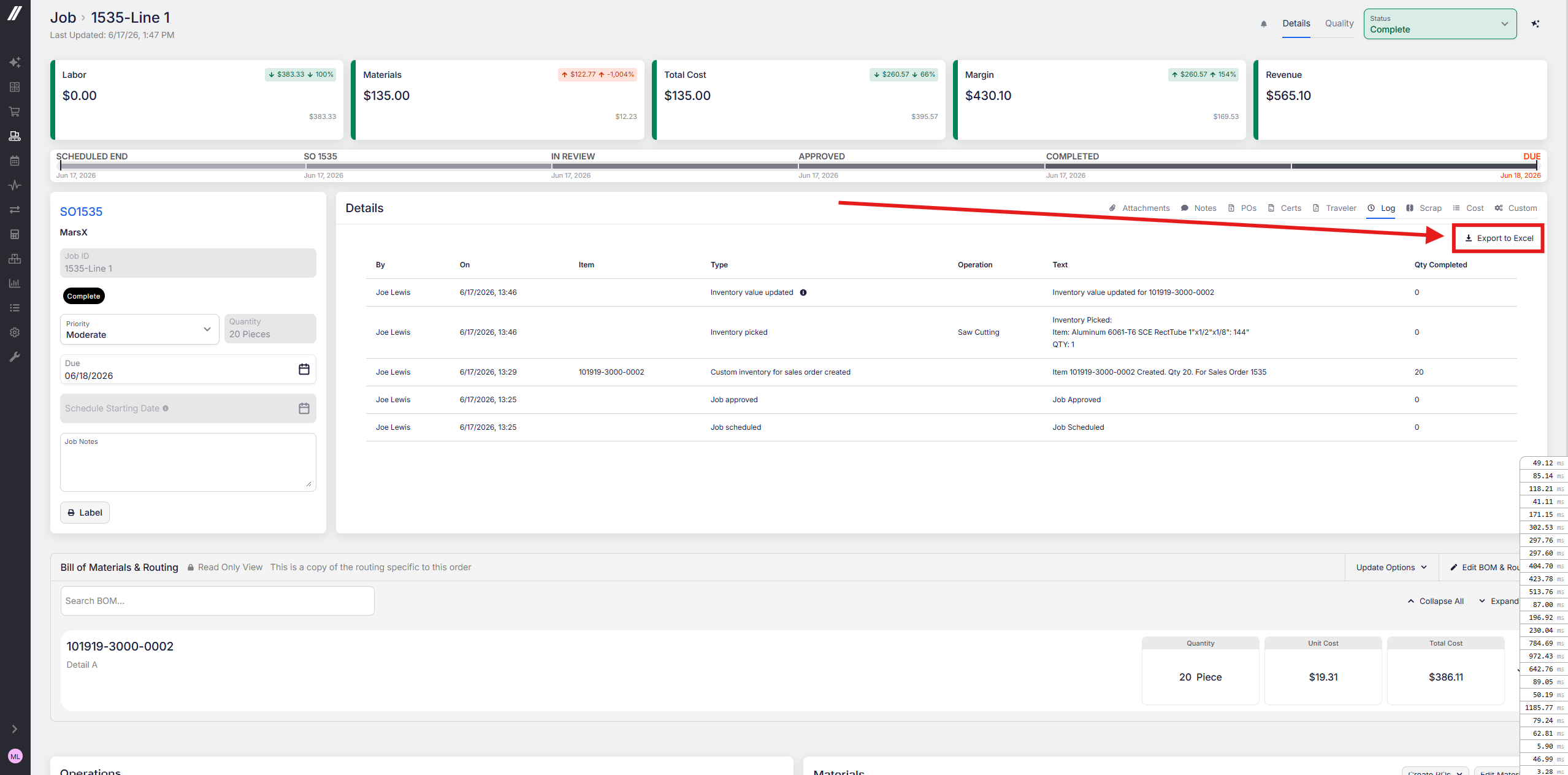
You can now export a job log to Excel. For logs running 100+ lines, that makes them far easier to filter and search than scrolling through line by line.
 Share ->
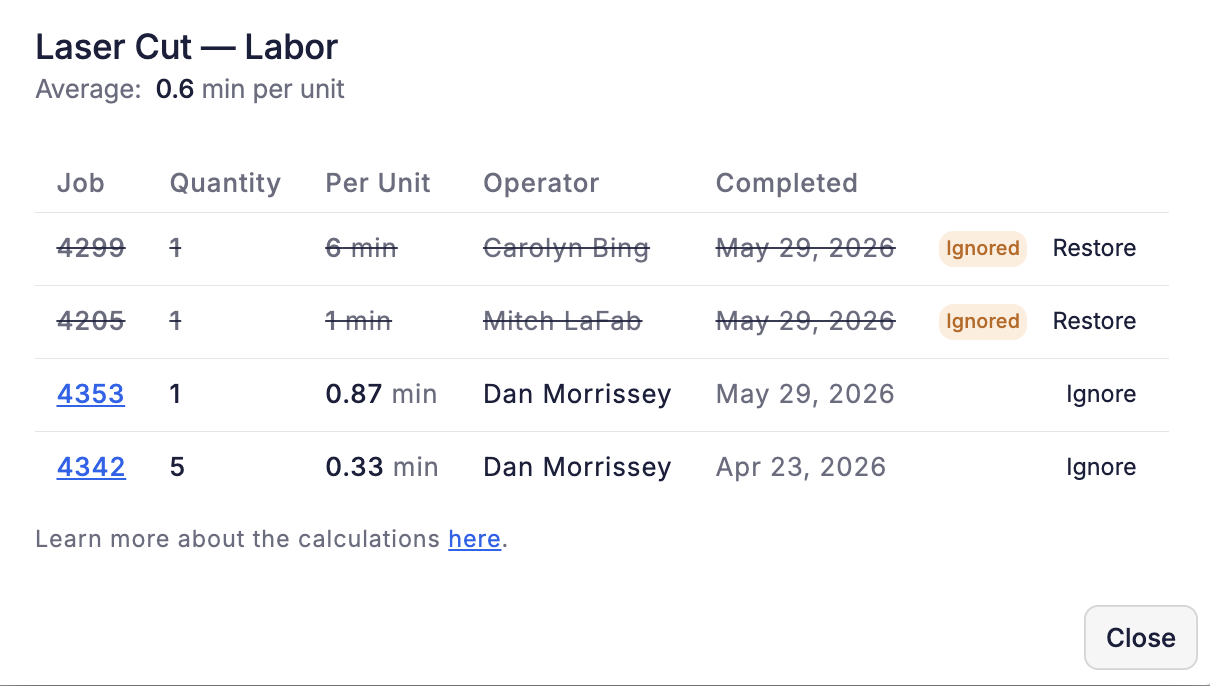
The top request for Routing Auditor was a way to exclude certain job runs from the average, like a training run or a shift with an unusually fast or slow operator, so a few unrepresentative runs don't skew your planned times. Now you can do it.
Click Ignore next to any run in a time's breakdown and it drops out of that operation's average. Your choice sticks for future calculations, so you don't have to redo it each time. Restoring a run is just as quick if you change your mind.
Routing Auditor stays in beta for a few more days after this ships, then switches on for everyone.
 Share ->
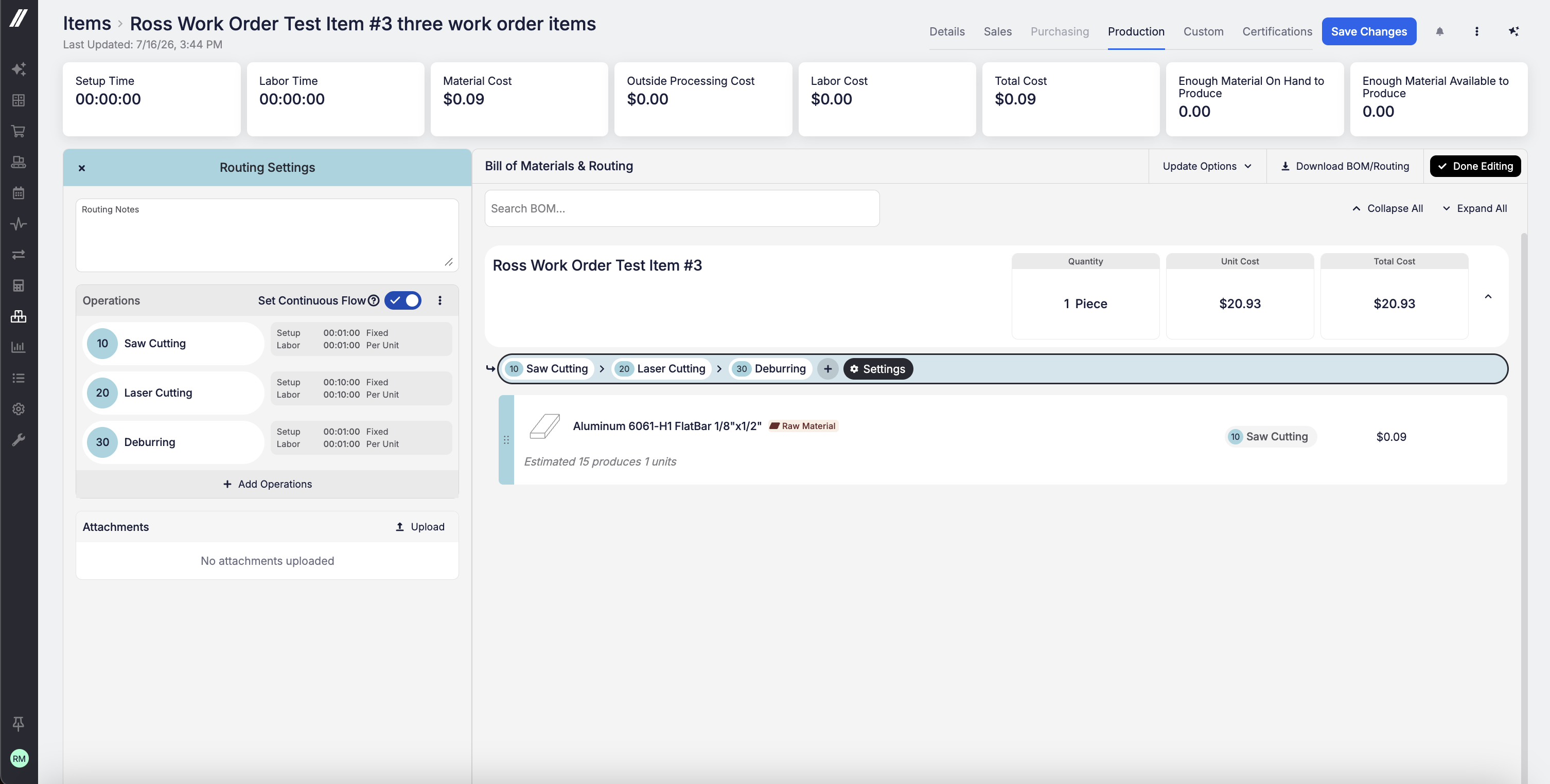
You can now set routing operations to auto-number by 1 (1, 2, 3…) or by 10 (10, 20, 30…) under Admin > Items & Inventory. Numbering by 10 leaves room to insert a new operation, say at 15, without renumbering everything that follows. That's especially valuable for AS9100 shops, where operation numbers get referenced on tooling sheets, inspection drawings, and work instructions and need to remain stable across revisions. The default remains by-1 numbering.
 Share ->
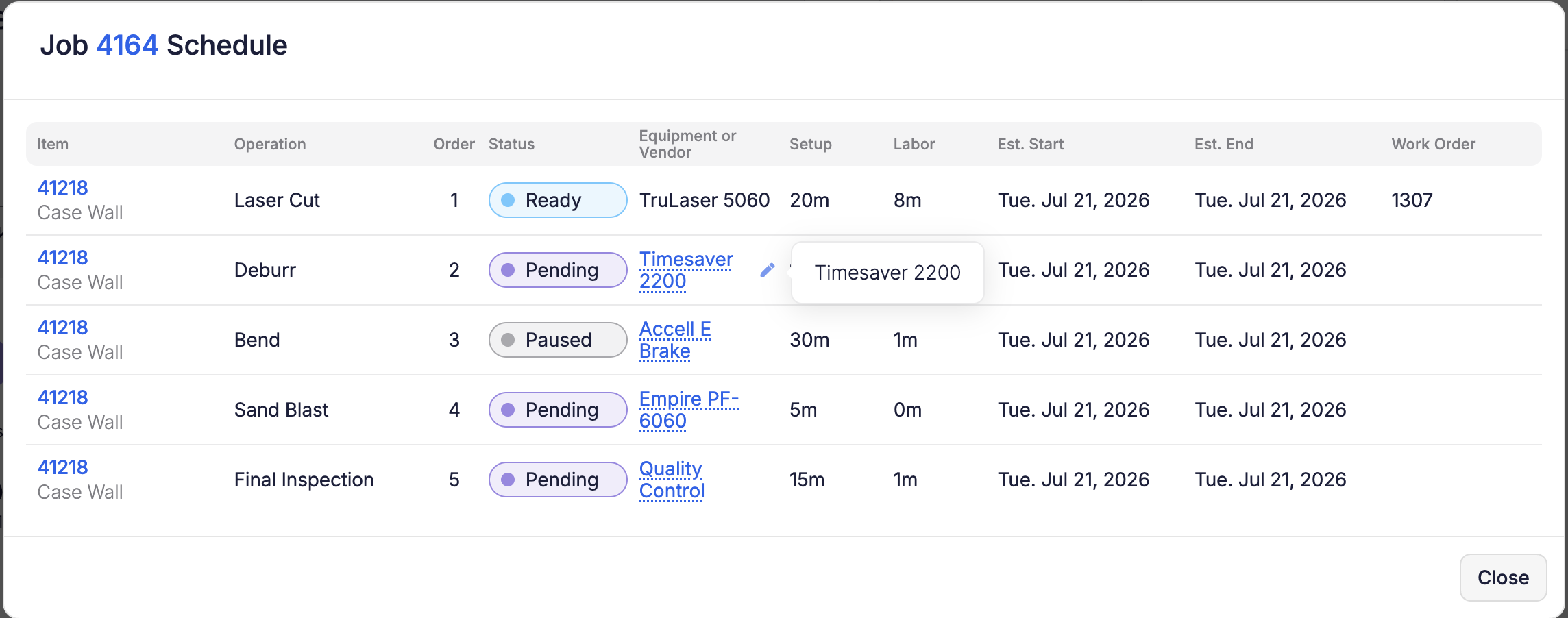
You can now reassign equipment right from the Schedule—no need to navigate to the job page. Click a job number to open the Job Schedule modal and change the equipment on any operation row, or use the pencil on Edit Job. The equipment picker only offers equipment capable of running that operation (same rules as the job page), and the operation automatically re-places itself on your next reschedule. Reassigning equipment requires Edit Job permission.
 Share ->
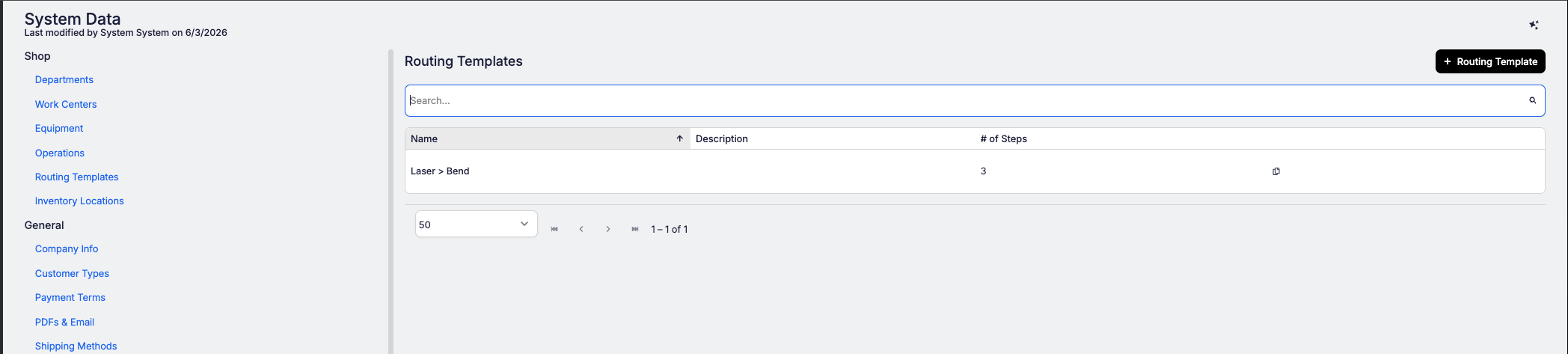
If your shop runs the same operation sequences repeatedly (laser cut, deburr, bend, weld, paint), retyping that routing for every new part slows down your quoting process. Routing Templates solve that.
Build your standard sequences once in System Data > Shop Setup > Routing Templates: a named, ordered list of operations for each workflow you run most (like "Steel - laser cut"). From then on, when you're quoting or building a part, your templates appear at the top of the operation list in the routing editor. Pick one and all its operations drop straight into the part's routing in order, with all the usual defaults already filled in: setup time, labor, machine times, equipment, and instructions.
From there it's a standard routing you can tweak however you need.
 Share ->
The setting to auto-generate outside-processing POs used to be buried in internal settings, out of your reach. It now lives in your Job Settings (Business Setup > System Data > Job Settings), giving you direct control over how outside-processing purchase orders are created.
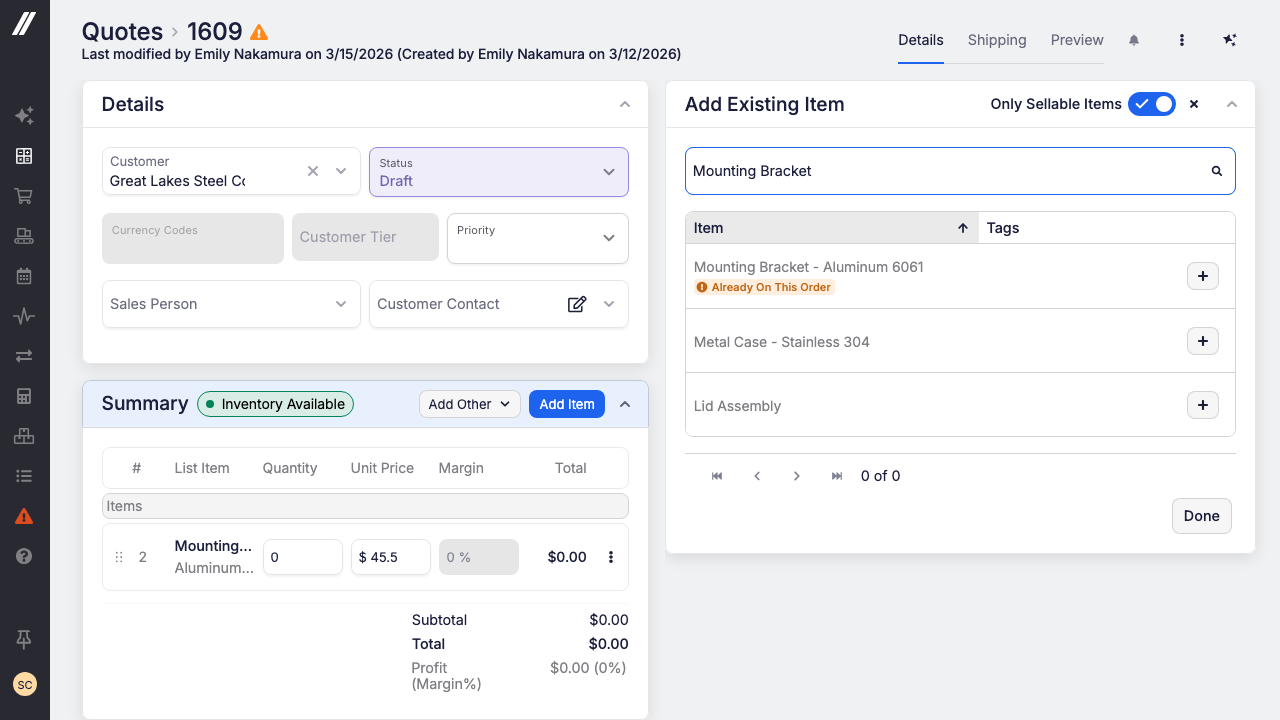
Adding the same part twice to a quote or sales order is an easy mistake. The Add Existing Item panel now marks any part already on the order with an "Already on this order" badge—so duplicate lines won't slip through.
 Share ->
Quality standards like AS9100 require you to track Engineering Change Orders and ensure every job builds to the current spec. Until now, Fulcrum had no way to capture changes or move an existing job to a new revision. That changes today.
A new Change Orders grid lives under Sales, backed by a Change Order record that captures the complete change—including Tasks for full audit readiness. The workflow guides you through each step: open the change order, identify everything still open on the original revision, then clean it up. Swap old-revision quote lines for the new revision, zero out and re-add sales-order lines, and hit "Roll Revision" on any tracked job to move it forward.
Beta note: Rolling a job revision uses the Edit Job flow, so it carries the same limits today (no rework, no work orders). Attachments and open POs are yours to manage manually for now.
We've added powerful features to Fulcrum Control to give you better visibility and control over your quality management and tool tracking.
Quality control has been strengthened with tool import fixes, calibration status improvements, new tool types, and more. Sibling bubbles now act as one family when copied—keeping related quality bubbles synchronized and manageable. Calibration templates now have version history, so you can track changes and revert when needed.
The tool detail page now includes a history tab for complete audit trails. And you can now filter the quality plan grid by "Has Open Sales Order," making it easier to prioritize quality checks tied to active customer orders.
We've strengthened Quality management with integrations and visibility improvements for your compliance workflows.
NCR and CAPA webhooks are now available, letting you trigger downstream processes and connect quality events to your external systems in real time. NCRs can now be associated with work orders, giving you full traceability between production and quality issues—making it easier to track root causes and prevent recurrence.
We've enhanced our API to give you more control over item data and shop configuration through programmatic access.
You can now associate tags with items via the API, enabling better organization and filtering of your catalog in external systems. Routing notes are now available on the items-to-make API endpoint, giving you richer production information for downstream workflows. And you can now create and update shop setup data—departments, work centers, equipment, and operations—directly through the API, eliminating manual data entry and keeping your production infrastructure in sync across systems.


