
Product Updates
Weekly updates to Fulcrum, always included with your subscription.
Thank you! Your submission has been received!
Oops! Something went wrong while submitting the form.

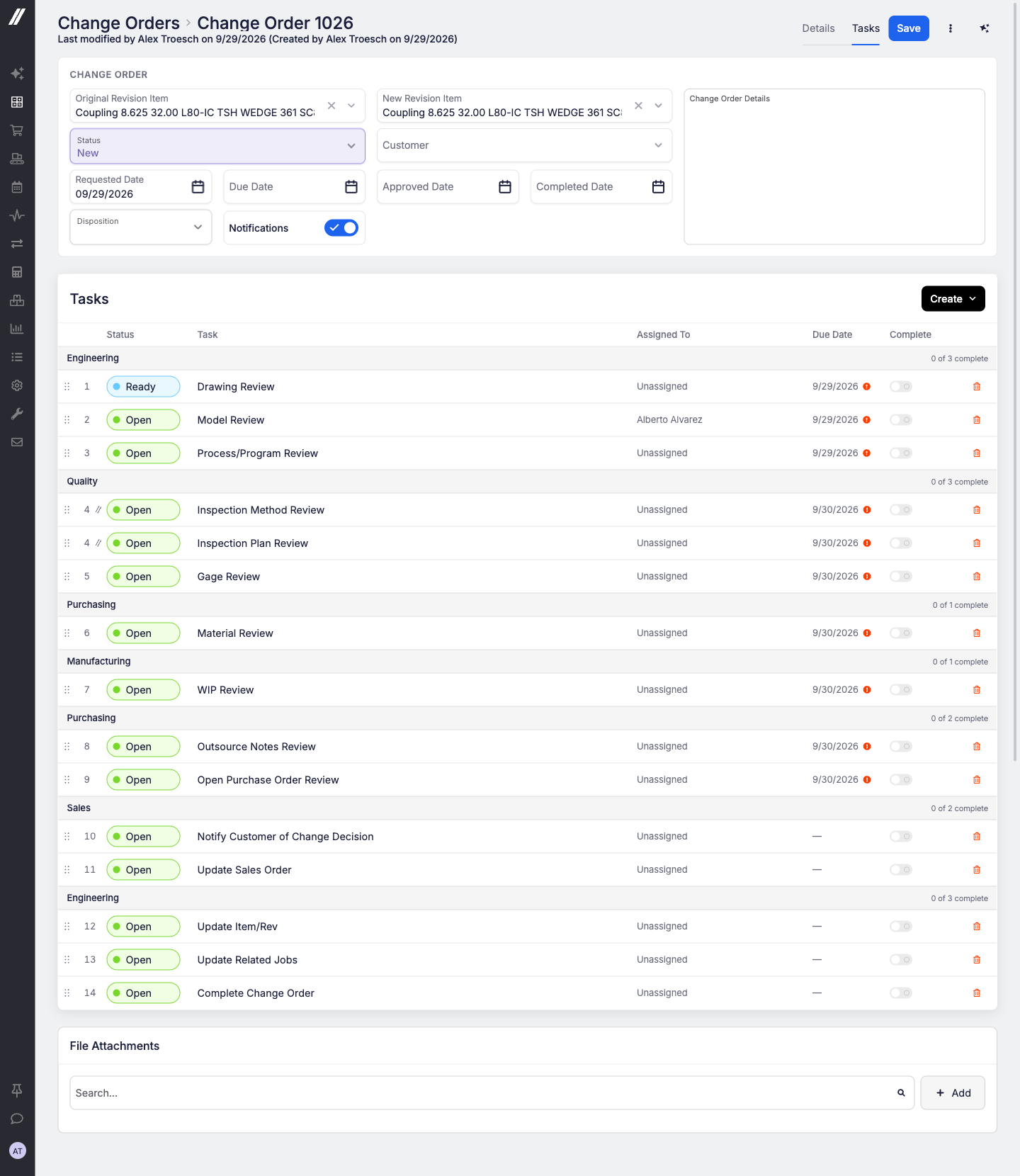
When a customer changes their mind mid-order, the work around that change (drawing review, engineering review, work-in-progress (WIP) review) can now run as a clear, step-by-step checklist right on the change order.
Tasks and templates
Notifications
Easier to manage
Reach out to our support team or your account manager and we'll turn it on for your shop.
 Share ->
System Data's left menu has a new AI section holding External Sources, Web Access and Agent Billing, moved out of Advanced. MCP API Keys and Connected Apps stay in Advanced but now turn up when you search for AI, Claude, ChatGPT or agent.
API tokens and assistant keys now have a maximum lifetime, so nothing lives forever by accident.
Deactivating a person now retires the assistant keys they created, so reactivating them doesn't bring old keys back, and lists the API tokens they made so you can review them.
Every data import now requires the right permission, and importing users is limited to Administrators.
Items: a file added or removed now counts as a change to the item, and the item list can be filtered by modified date. Input items support a fixed per-lot quantity. Material details (dimension units, shape type, density) and the unit cost Fulcrum would use are readable so nestings can be costed correctly.
Production: timer lists can be filtered by item, and each timer reports the system operation it belongs to. Equipment downtimes can be read, created, updated and deleted.
Orders: the sales order list filters by customer and customer purchase order number, quote capable-to-promise can be requested and read, and receipt lines report their purchase order cost, tax and landed cost.
Costing and nesting: costing and pricing settings, item cost breakdowns and job-operation audit details are readable, and the work order and nesting-setup writes are now documented in the public reference.

Exports that get it all: ask for "all purchase orders" or "all quotes" and Archie builds the full report. Ask for a download and you get the table you're looking at.
Warns before it writes: when a change has consequences (stock or cost postings, purchase orders, timers, deletes, work being re-ordered), Archie explains them in plain words and waits for your go-ahead.
Ask Archie how your suppliers are doing. It reports on-time delivery, late and overdue lines, average lead time and spend, grouped by vendor, month or purchase order type.
Don't see this yet? Reach out to our support team or your account manager and we'll turn it on for your shop.

Tell the Builder "email this to me and Sam every Monday at 7" and it will list, set up, change or run the page's schedules, ending with a proposal you confirm in one click.
Don't see this yet? Reach out to our support team or your account manager and we'll turn it on for your shop.
If your plan doesn't cover the number of apps you have, apps now pause with a clear way to subscribe. Choosing a plan that includes fewer apps than you currently have is refused up front, with a message telling you how many to delete or which larger plan to pick.
Pages made with the Builder used to stay light even when Fulcrum was in dark mode. They now follow the app's theme.
Want to try the Builder before committing? Companies without a plan can start a one-week free trial with unlimited apps and a generous token allowance.
Don't see this yet? Reach out to our support team or your account manager and we'll turn it on for your shop.

Certificates can now state more of what your jobs, sales orders and shipments already know. New variables cover job unit of measure, scheduled start and end, created date, notes and priority, plus drop-ship and shipment details such as ship date. Choosing the shipment when you issue a certificate is simpler too.
The nonconformance report (NCR) and corrective and preventive action (CAPA) Impacts report now shows the Department and Vendor on each quality issue, so you can slice quality cost and impacted quantity by either one.
The nonconformance report (NCR) and corrective and preventive action (CAPA) grids now open on Open records by default. "Open" means everything except Closed, and it's a normal filter pill you can clear in one click. The NCR grid download also gains a Disposition column (Rework, Scrap, Hold and so on) right next to the disposition detail.

External certifications uploaded to an item's Certifications tab can finally be removed. Administrators, and any role with the Delete Certifications permission, get a delete action with a confirmation prompt.
The nest sheet material picker now shows the material name on a second line under the dimensions, so similar sheets are easy to tell apart.


