
Product Updates
Weekly updates to Fulcrum, always included with your subscription.
Thank you! Your submission has been received!
Oops! Something went wrong while submitting the form.


When a new revision came over from Paperless Parts, Fulcrum used to copy every attachment from the previous revision, cluttering up jobs and items. A new "Copy Attachments from Previous Revisions" toggle in the Paperless integration settings gives you control. It defaults to on to preserve today's behavior, but you can switch it off so new revisions carry only their own relevant files.

Three accounting improvements landed together. First, you can no longer delete an item that still has inventory on hand—deleting used to silently wipe that inventory, which conflicts with accounting best practices and audits. On-hand items are now protected. Second, Jobs and Accounting Codes were added to the Purchase Order Lines report, closing a gap that made outside-processing receipts (recorded at $0 value) hard to report on. Third, the PO grid export now includes billed price updates, so what you download matches what you see in the app.
A new security setting adds multi-factor authentication to Fulcrum. Head to Business Setup > System Data > Security and turn on Require Multi-Factor Authentication. Once it's on, anyone signing in with email and password gets walked through MFA setup the first time, then enters a one-time code on every login after.
Codes come from any standard authenticator app, including Google Authenticator, Authy, Microsoft Authenticator, or any TOTP app, so there's no extra hardware or texts to manage. It's off by default, doesn't affect SSO, and admins can reset a user's MFA if they ever lose access to their authenticator.

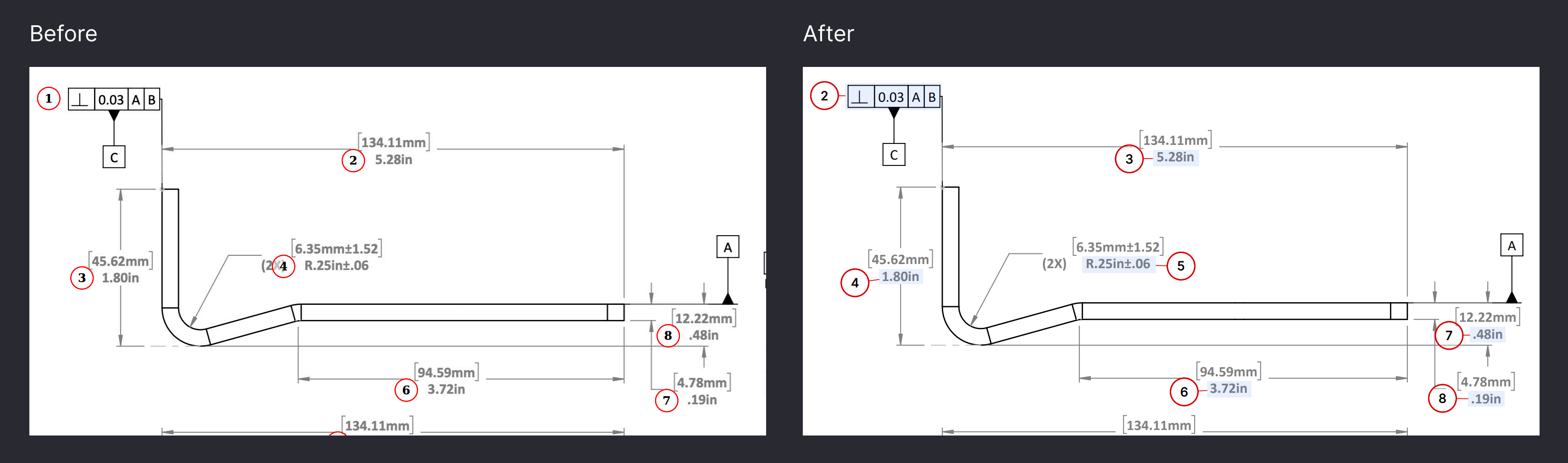
Bubbled drawings get busy—lots of mapped features packed close together. To make exported bubble drawings easier for your operators and customers to read, annotation downloads now include a light-blue feature highlight, a leader line connecting the balloon to the feature, and a cleaner sans-serif font. The download now matches the digital bubbled drawing much more closely.
 Share ->
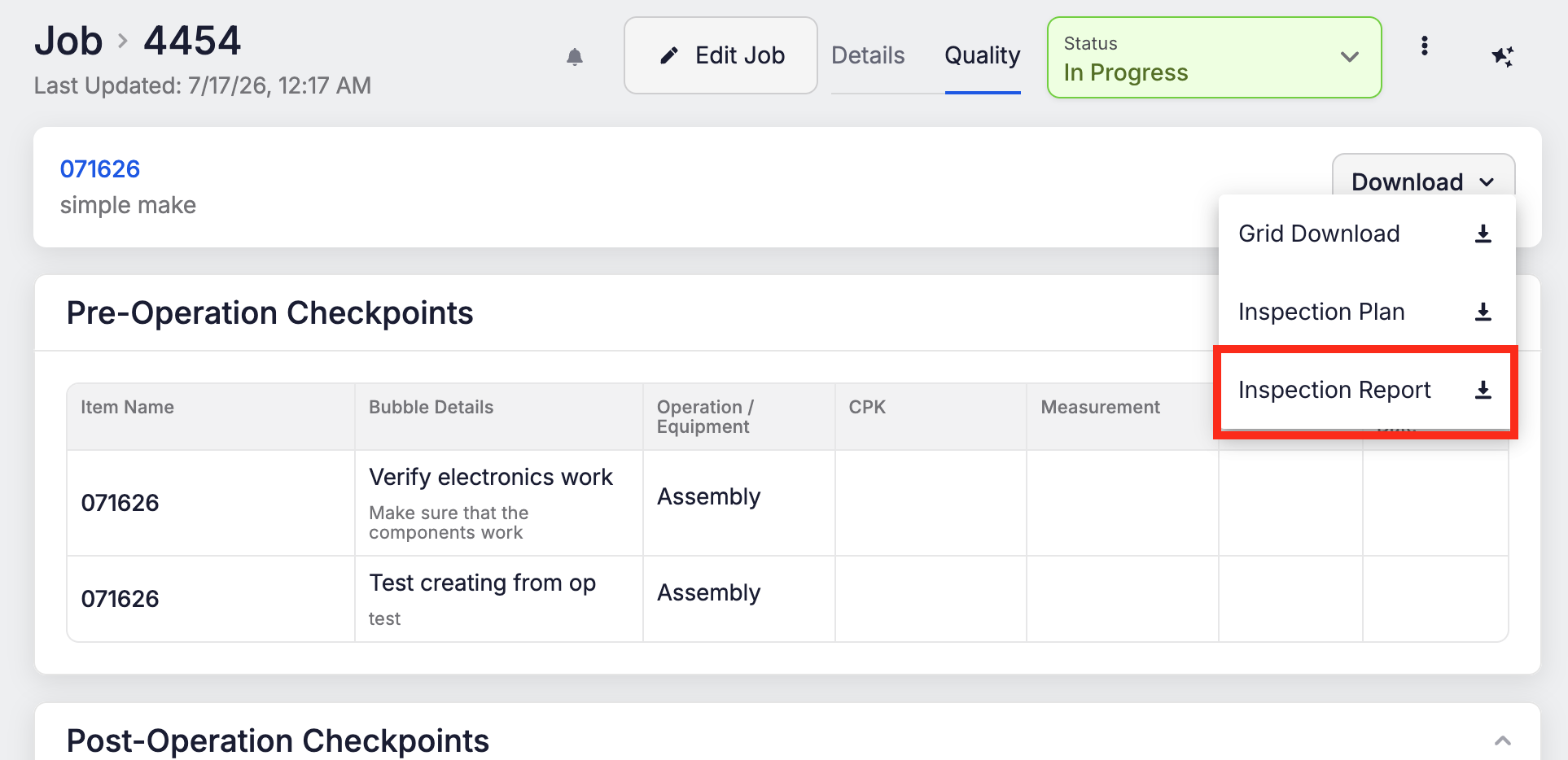
The Quality tab now has a new Inspection Report download—formatted and ready to hand to your customers' customers. Find it under the job's Quality tab > Download > Inspection Report.
Quick note: the old "Inspection Results" download is now called Grid Download. It's the same raw Excel export of all your quality data, just renamed for clarity.
 Share ->
Tool Calibration lets you build calibration templates and run in-house calibrations on your tools against defined checkpoints (like IPTs). Three workflows are supported—customer-supplied, vendor-performed, and in-house.
A usage grid shows every job each tool was used on, so if a tool turns out to be bad you can trace exactly where it went and issue a recall or remeasure. An alert bell on the Tool Calibration grid sends you a digest of tools coming due, with 7-day and 30-day windows. And you can raise an NCR straight from the Tool Calibration page when issues arise.
Archie support for these changes is coming shortly.
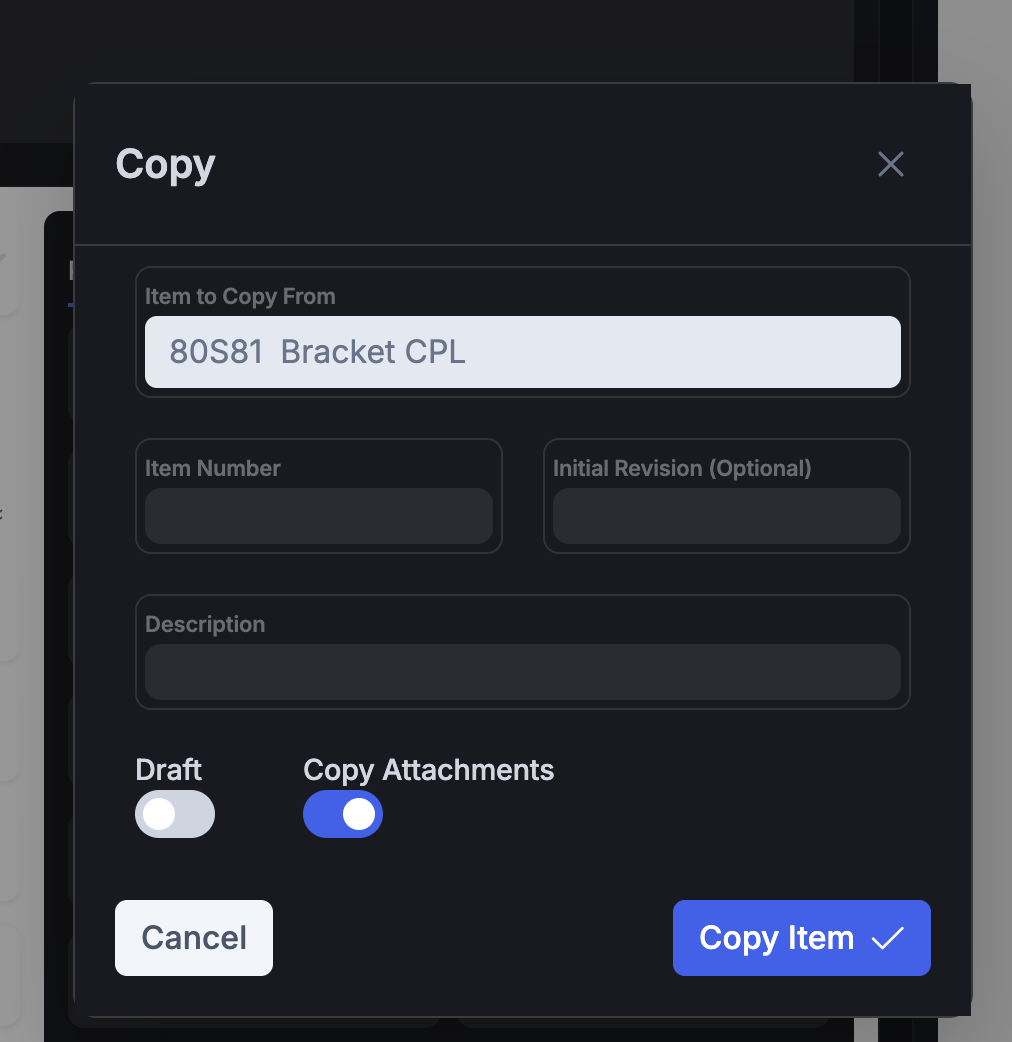
The Item Copy flow now includes an option to bring the item's attachments along with it—so specifications, drawings, and other files move with the item when you duplicate it.
 Share ->
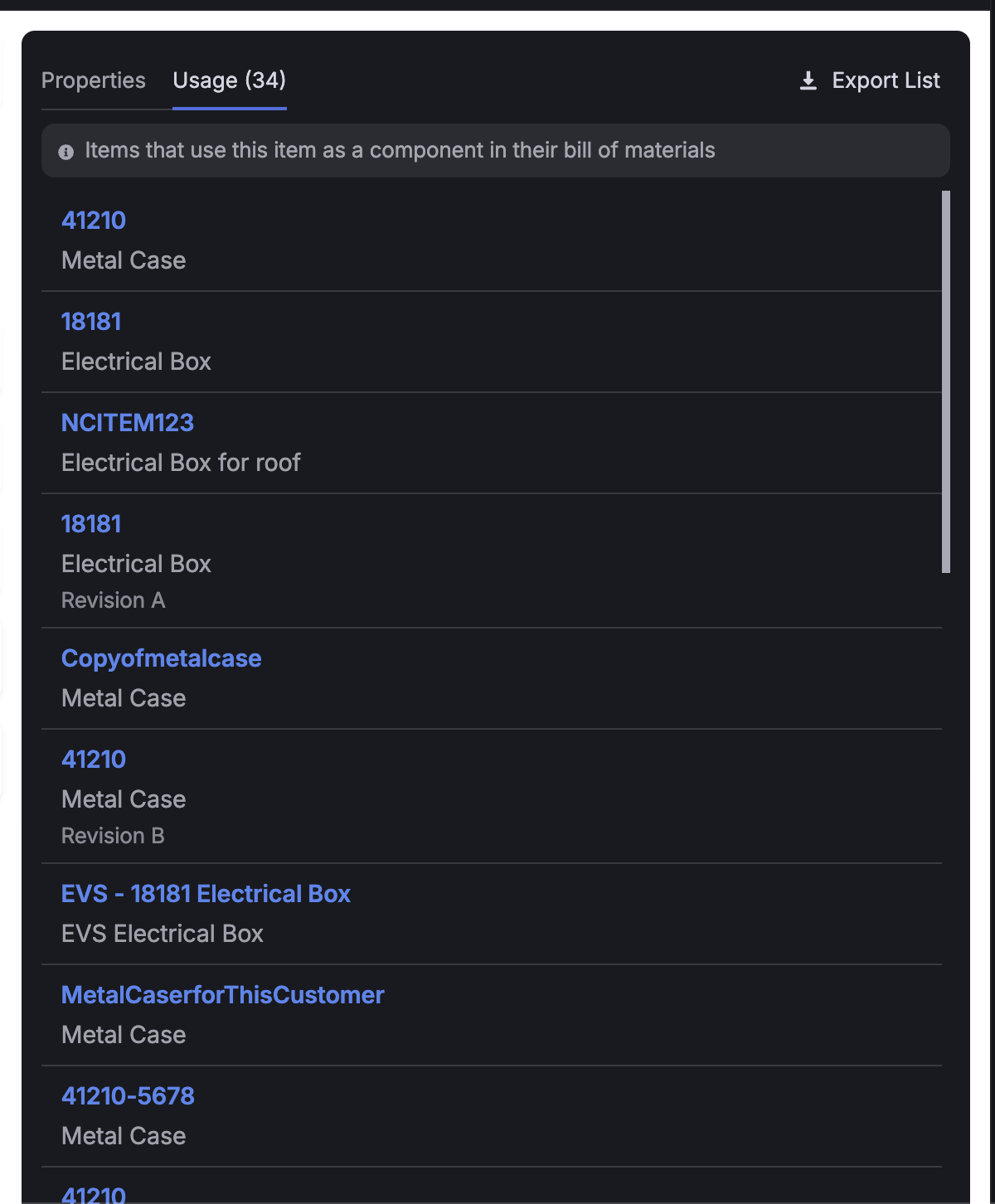
The Item Usage tab had a few friction points that came up in user-conference conversations. It lacked revision and archived-status context, capped out around 10 items with paging, and wasn't quite right for how people actually use it—scanning where an item appears and building a list for swaps.
We've smoothed it out. The tab now scrolls for easier browsing, shows more context including revision and status info, and exports so you can work with your lists outside Fulcrum.
 Share ->
When you finish a job across multiple batches, per-unit costs can drift between them: the first batch arrives at one cost, the next at another, and the same part lands in inventory at two different values even though it all came from the same job. A new Job Settings option, Average Cost Across Batched Receipts, solves this by evening out the cost across every batch of that item so each unit carries the same average, even correcting earlier batches that have already been picked.
The setting lives under Roll Forward Job Cost Changes and only works when that option is turned on. It's all-or-nothing: if any of the item's receipts fall outside your Inventory Adjustment Cutoff, Fulcrum leaves the entire set alone. It's off by default.
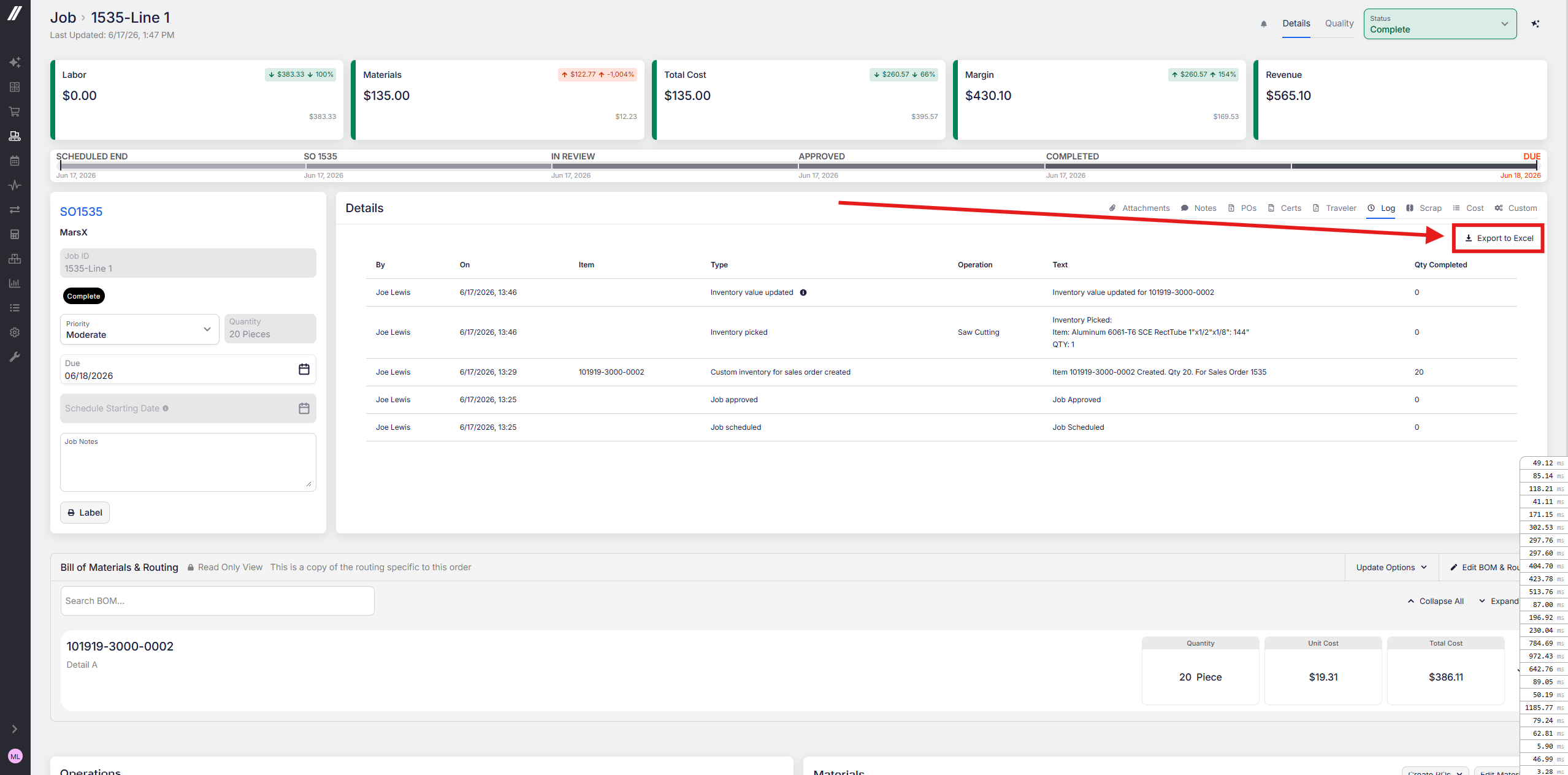
You can now export a job log to Excel. For logs running 100+ lines, that makes them far easier to filter and search than scrolling through line by line.
 Share ->
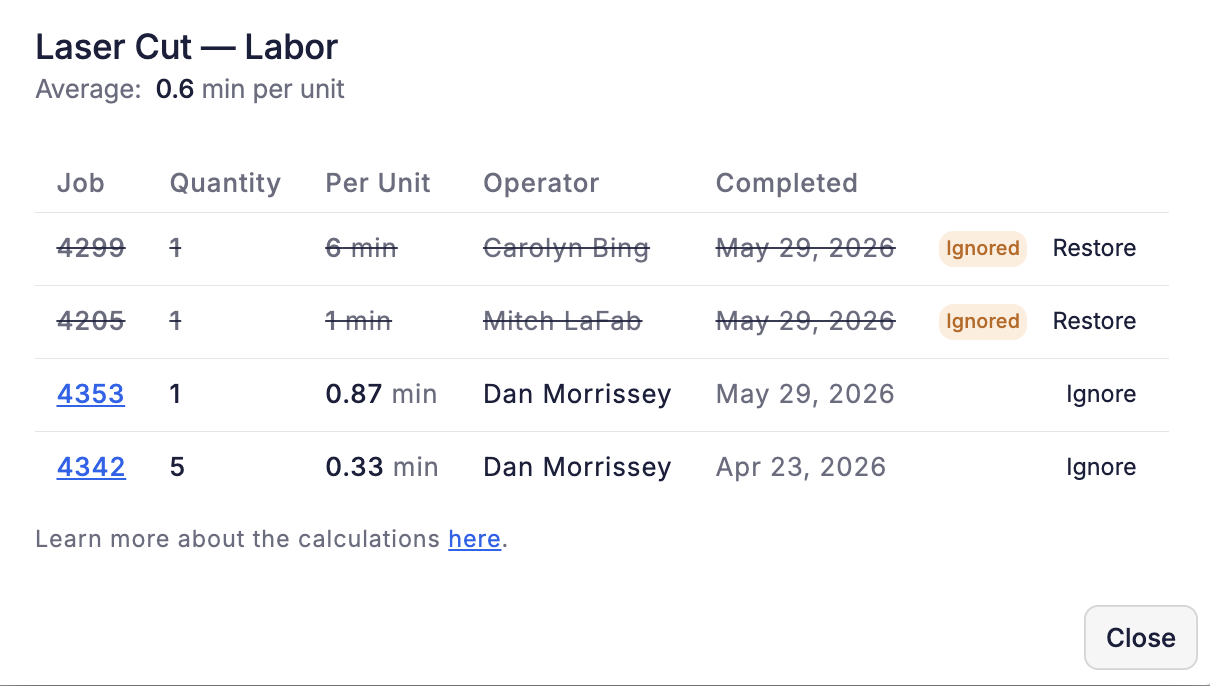
The top request for Routing Auditor was a way to exclude certain job runs from the average, like a training run or a shift with an unusually fast or slow operator, so a few unrepresentative runs don't skew your planned times. Now you can do it.
Click Ignore next to any run in a time's breakdown and it drops out of that operation's average. Your choice sticks for future calculations, so you don't have to redo it each time. Restoring a run is just as quick if you change your mind.
Routing Auditor stays in beta for a few more days after this ships, then switches on for everyone.
 Share ->
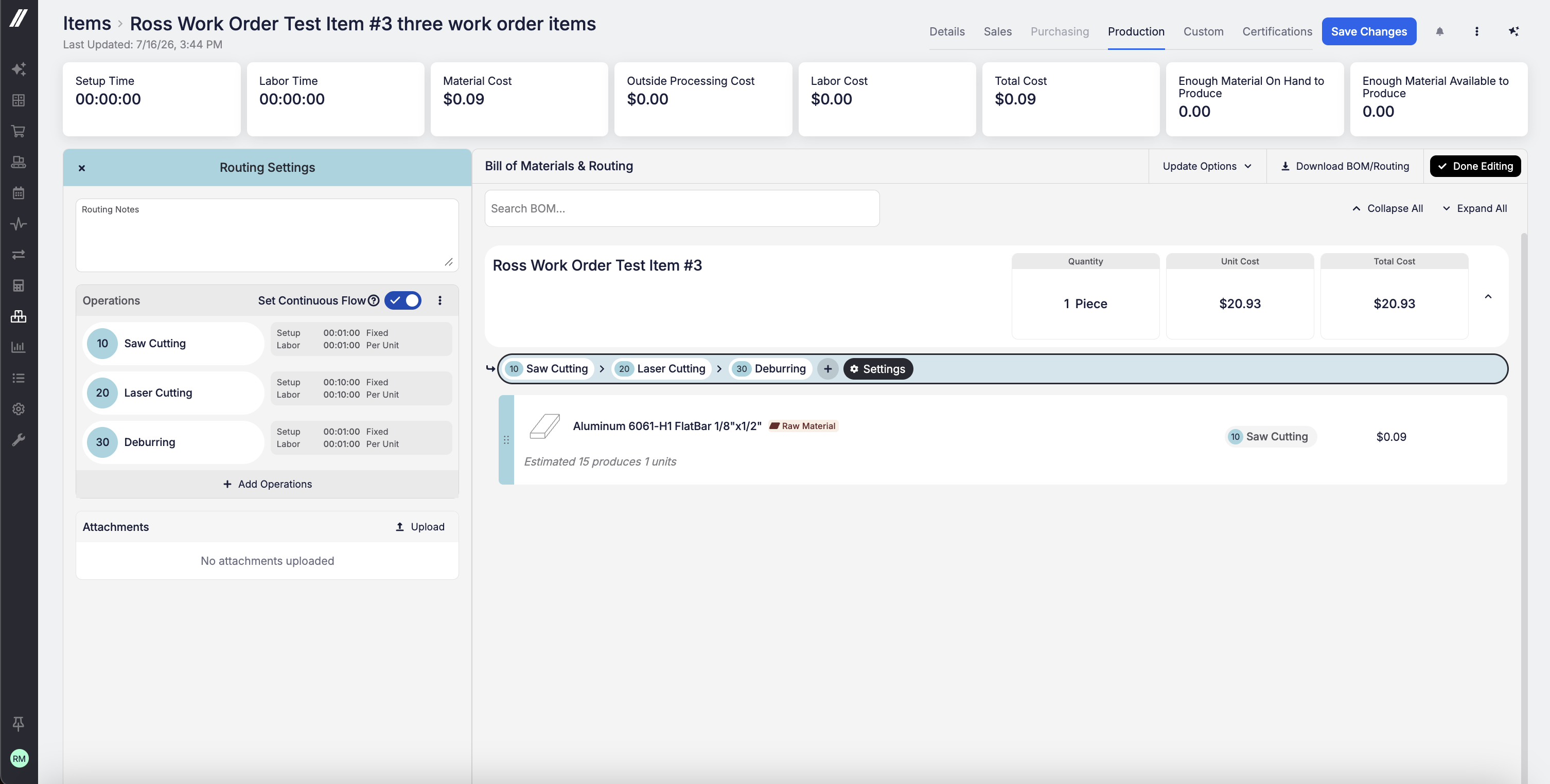
You can now set routing operations to auto-number by 1 (1, 2, 3…) or by 10 (10, 20, 30…) under Admin > Items & Inventory. Numbering by 10 leaves room to insert a new operation, say at 15, without renumbering everything that follows. That's especially valuable for AS9100 shops, where operation numbers get referenced on tooling sheets, inspection drawings, and work instructions and need to remain stable across revisions. The default remains by-1 numbering.
 Share ->
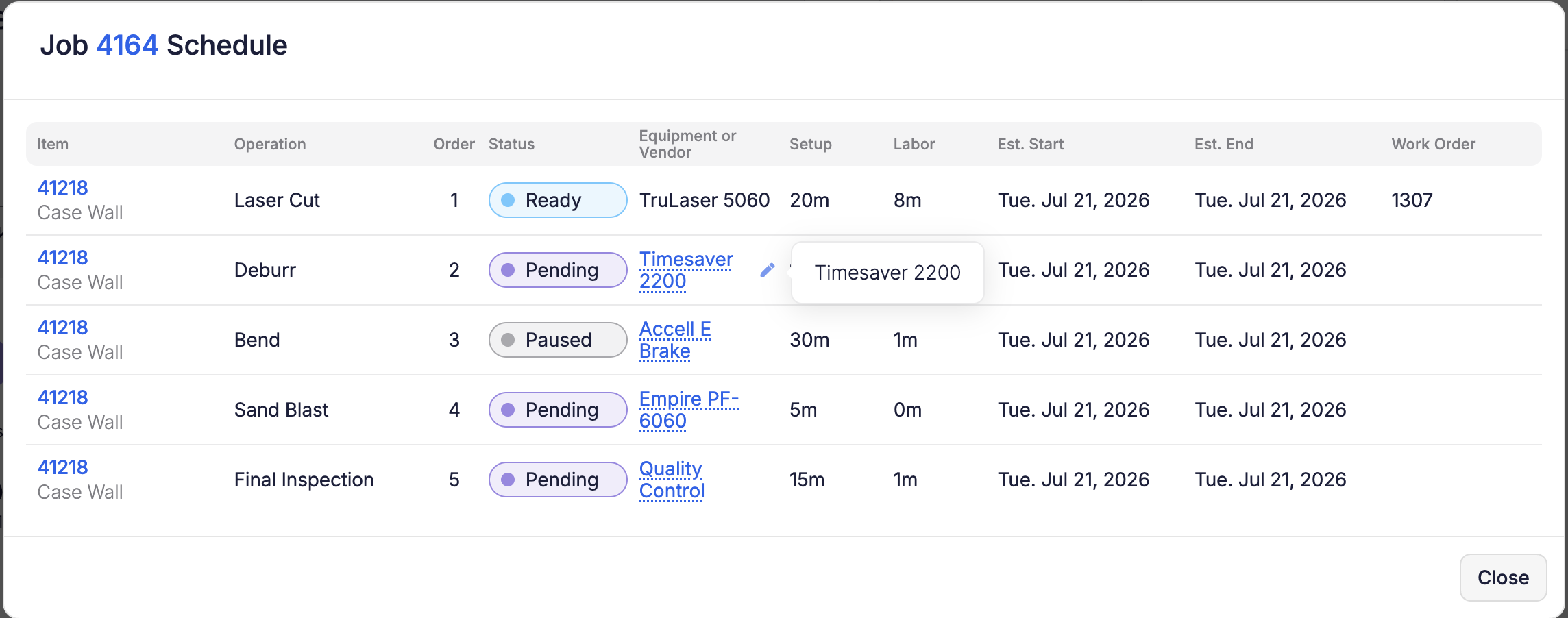
You can now reassign equipment right from the Schedule—no need to navigate to the job page. Click a job number to open the Job Schedule modal and change the equipment on any operation row, or use the pencil on Edit Job. The equipment picker only offers equipment capable of running that operation (same rules as the job page), and the operation automatically re-places itself on your next reschedule. Reassigning equipment requires Edit Job permission.
 Share ->
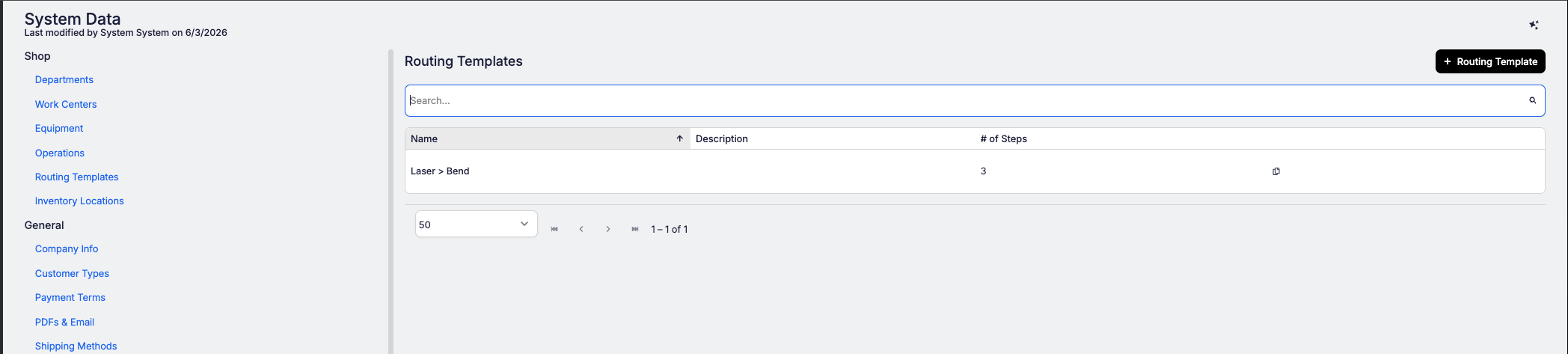
If your shop runs the same operation sequences repeatedly (laser cut, deburr, bend, weld, paint), retyping that routing for every new part slows down your quoting process. Routing Templates solve that.
Build your standard sequences once in System Data > Shop Setup > Routing Templates: a named, ordered list of operations for each workflow you run most (like "Steel - laser cut"). From then on, when you're quoting or building a part, your templates appear at the top of the operation list in the routing editor. Pick one and all its operations drop straight into the part's routing in order, with all the usual defaults already filled in: setup time, labor, machine times, equipment, and instructions.
From there it's a standard routing you can tweak however you need.
 Share ->
The setting to auto-generate outside-processing POs used to be buried in internal settings, out of your reach. It now lives in your Job Settings (Business Setup > System Data > Job Settings), giving you direct control over how outside-processing purchase orders are created.


