
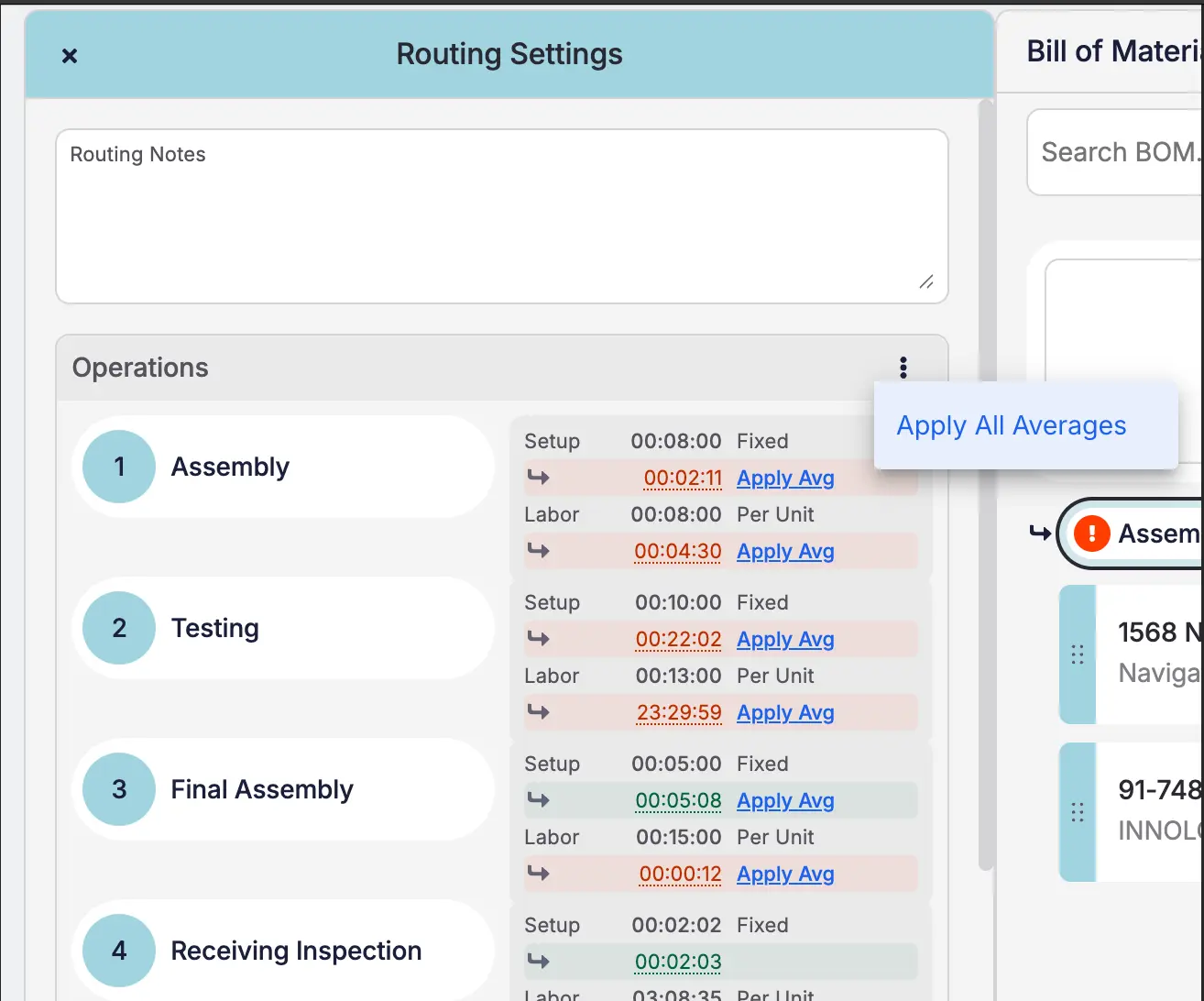
Your planned routing times are only as good as the assumptions behind them — and over time, reality drifts. The BOM editor now shows a Job Avg next to each step's setup, labor, and machine time, pulled from your recent job history and compared against the plan. When the two drift apart, a colored chip flags the step: green when you're within 10% of plan, yellow when you're 10–25% off, and red when you're more than 25% off. You'll see how many jobs went into each average, and you can click in for a breakdown showing each job, the operator, and any jobs left out as outliers. Like what you see? Hit Apply Avg to push the average straight into the planned time, or open Routing Settings to review every step in one place and Apply All Averages in a single click. The audit shows up anywhere the BOM is editable — items, draft quotes, sales orders, and active jobs — and it automatically filters out bad data like forgotten clock-ins, so the numbers you see are the numbers you can trust.


