
Product Updates
Weekly updates to Fulcrum, always included with your subscription.
Thank you! Your submission has been received!
Oops! Something went wrong while submitting the form.

The public API can now download a shipment's packing slip PDF directly, so your integrations can pull the same slip that ships with the order.

Job and sales order hour reporting now breaks estimated labor and machine hours out into two figures, instead of lumping them into one combined estimate.
Job tracking cards for work-order-linked jobs now show the planned quantity right on the card, so the floor can see how many to make without opening the job.
The jobs grid now shows clocked and estimated hours no matter a job's status, instead of only for certain ones.
The jobs grid now filters by job type, structure, material, priority, customer, and date ranges, so a long job list narrows down to exactly what you're looking for.
Job Tracker chat now updates new messages and unread counts in real time. You can filter the chat list by job, work order, customer, or item, and scroll back through older chats without waiting on a page to load.

An outside-processing purchase order line now shows which job it belongs to, right on the line — no more digging to connect the two.
The Draft Purchase Orders panel in Purchasing Planning now shows purchase orders in three statuses, not one: Draft, Needs Approval, and Approved.

The public API can now return sales order, purchase order, and shipment PDFs, on top of the invoice PDFs it already handled. Your integrations can pull the exact document your customer or vendor sees without opening Fulcrum.
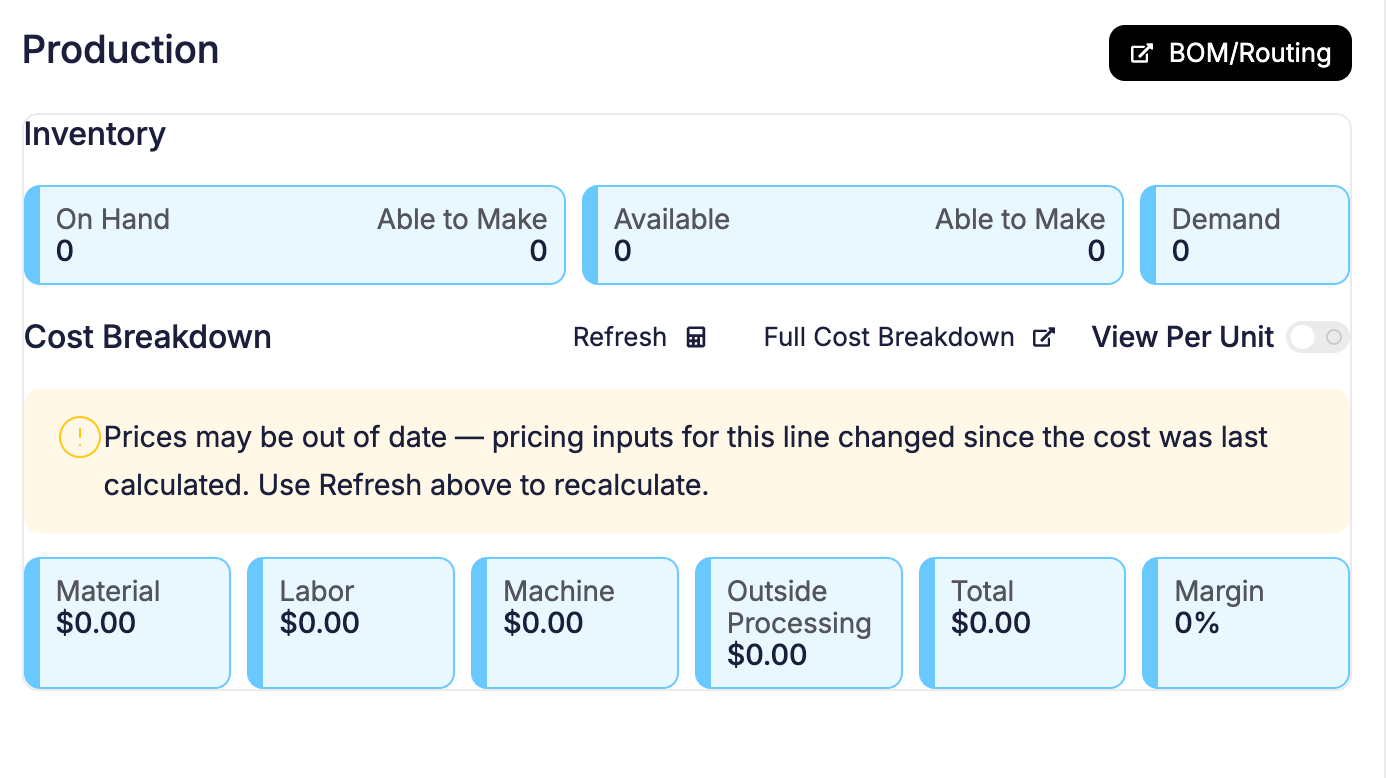
Pricing on a line item's bill of materials used to refresh on every save, whether you meant it to or not. Now a banner appears near the refresh button whenever pricing has actually gone stale, so you can tell at a glance when a refresh will change something. This is the first of a few changes coming to give you more visibility into pricing on a line item's bill of materials.
Rolling out over the next few weeks — if you don't see it yet, it's coming.
 Share ->
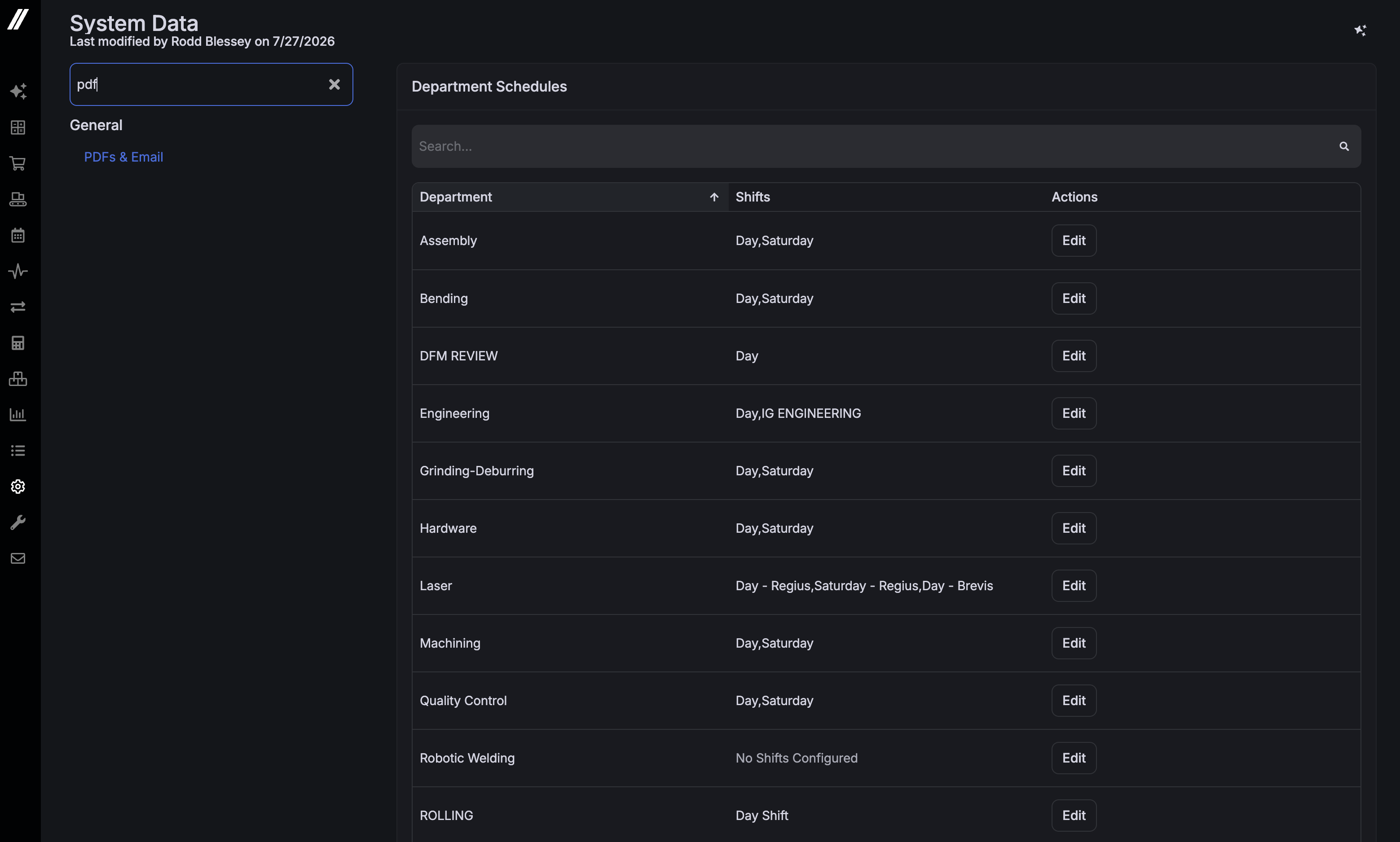
The System Data menu now has a filter box — type a couple of letters to jump straight to the setting you want instead of scrolling through the whole list.
 Share ->
If you're integrated with NetSuite, deposit invoices and deposit adjustments now sync correctly — previously any invoice carrying a deposit would fail to sync. This brings NetSuite in line with the deposit support Xero and QuickBooks Online already had.
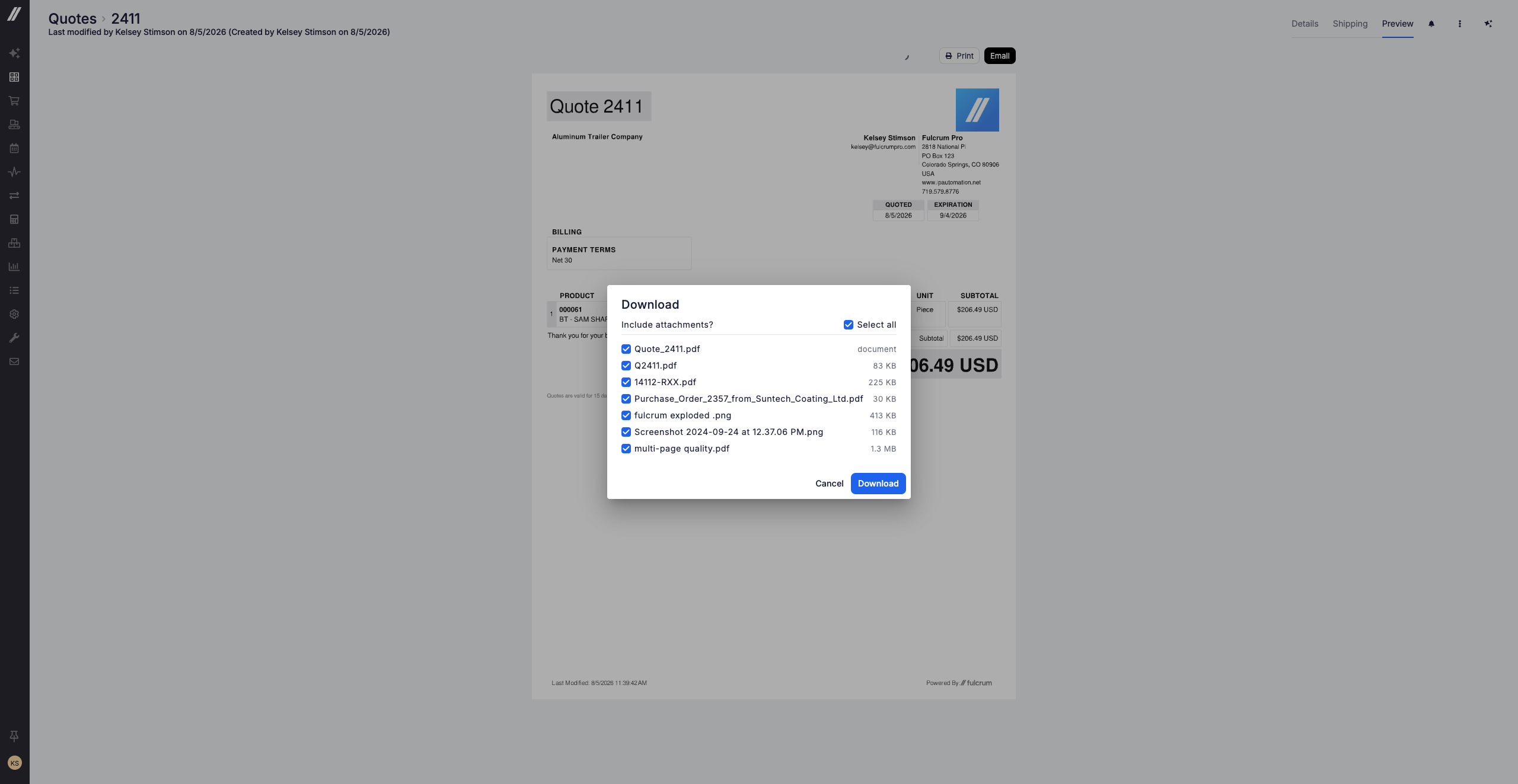
Downloading a document (a quote, sales order, invoice, and more) now offers a checklist of that record's attachments (drawings, certs, specs), pre-checked, and bundles whatever you keep into one .zip alongside the document. A record with no attachments downloads exactly as it did before.
 Share ->
Archie used to only be able to read a running timer — the most common request was fixing a mistyped clock-in, and Archie had to turn it down. Archie can now create, correct, and delete time clock entries. This is off by default; ask your admin to turn it on.
While Archie is writing out a response, its send button turns into a stop button, in the chat panel and the fullscreen Archie page alike, so you're never stuck waiting out an answer you don't need anymore.


